


rufino.oliveira
-
Posts
17 -
Joined
-
Last visited
-
Days Won
1
Content Type
Profiles
Forums
Events
Posts posted by rufino.oliveira
-
-
Any news about Corsair integration? I can´t use my AIO readings because fans go full blast randomly.
-
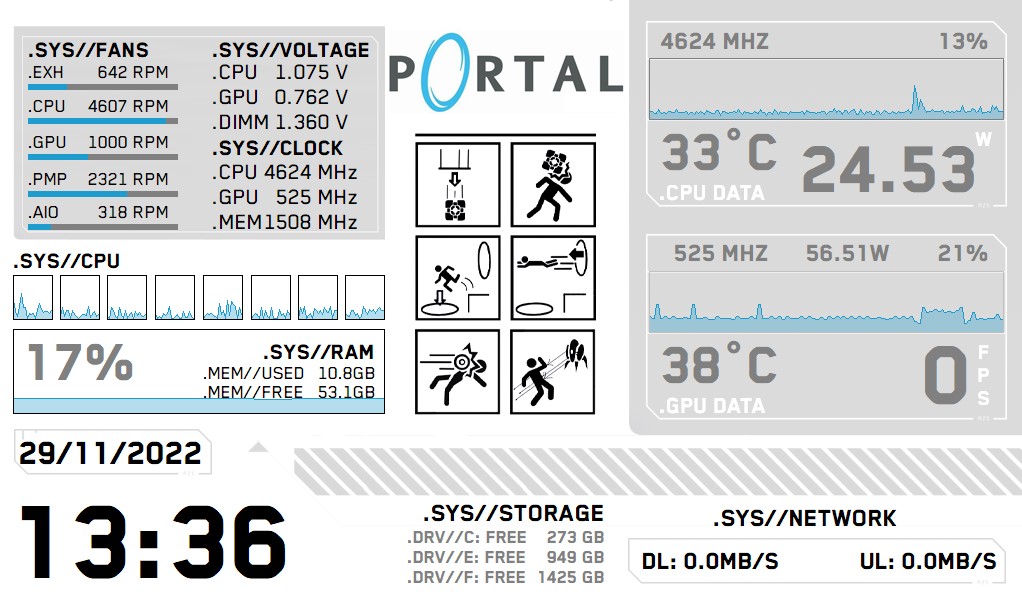
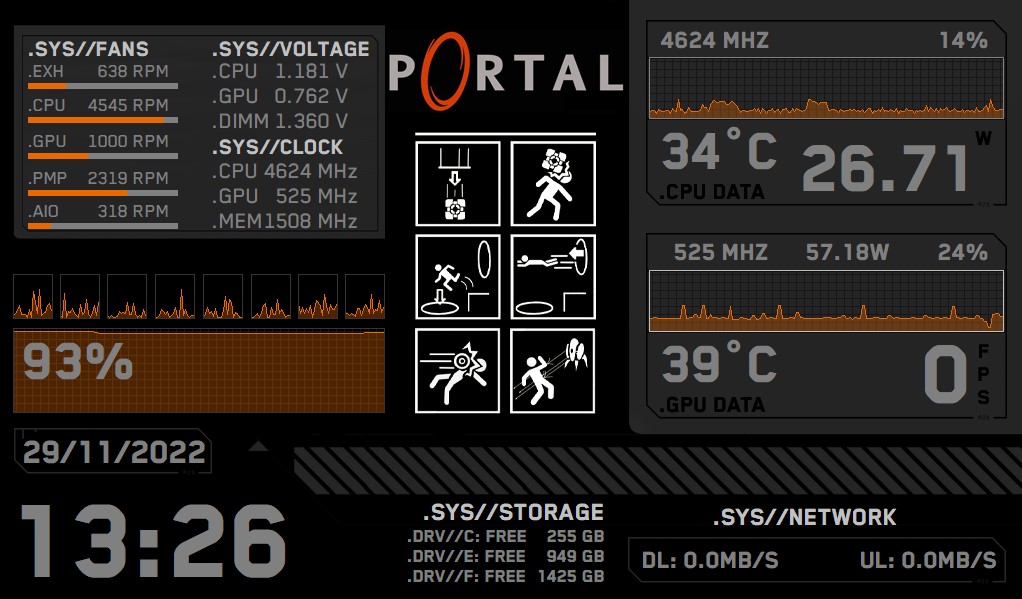
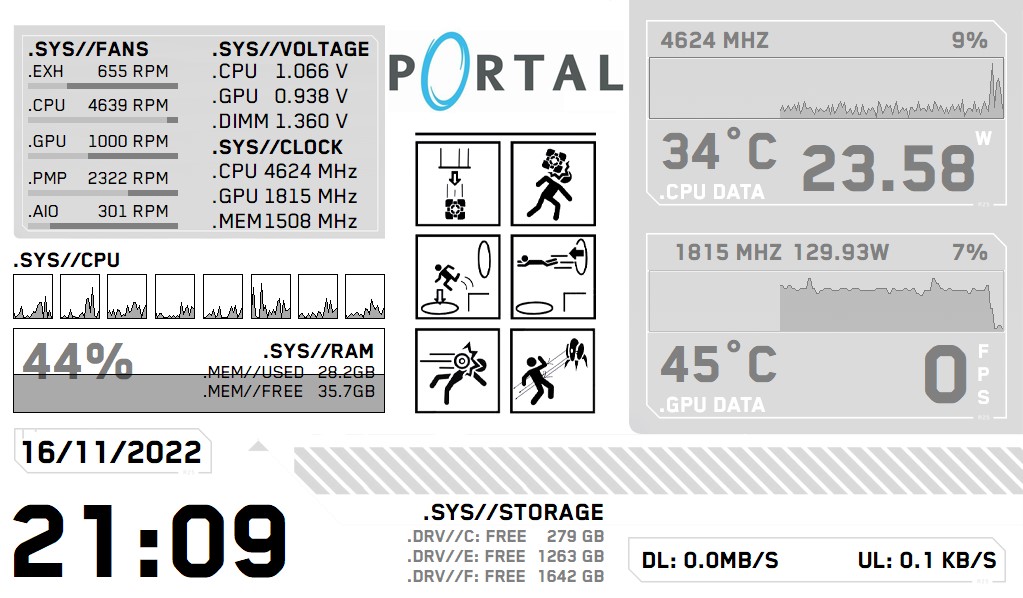
Made some small changes on the previous posted Sensor panel, and also made an inverted version.
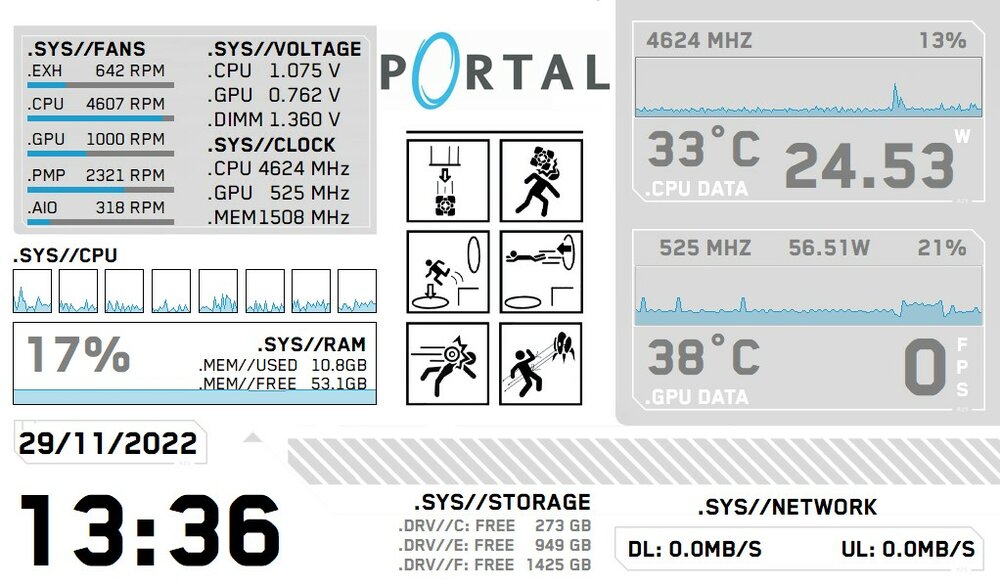
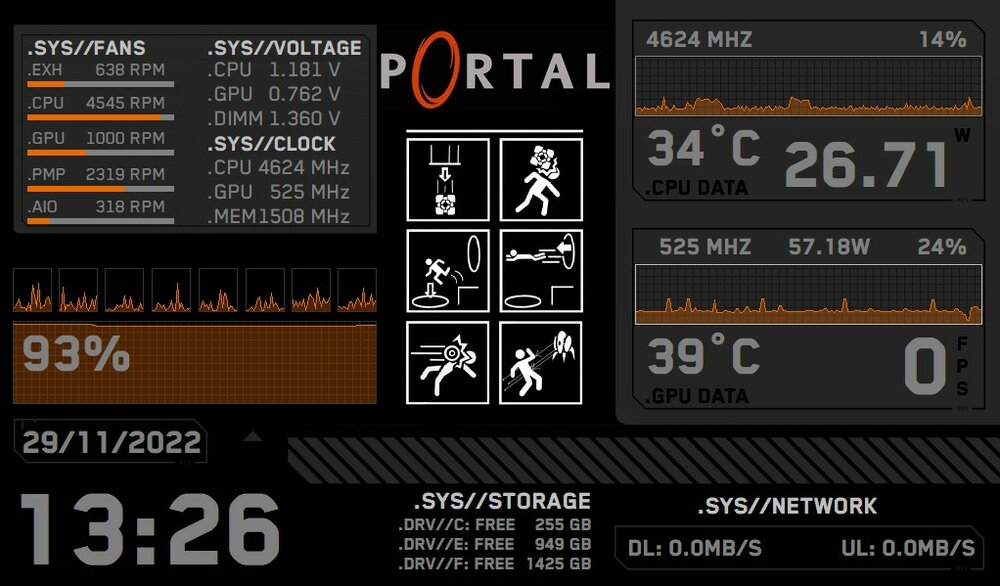
PORTAL_SENSOR PANEL_V2.sensorpanel PORTAL_SENSOR PANEL_V2_INVERTED.sensorpanel
-
 5
5
-
-
31 minutes ago, Psychojack said:
Hello, I love the design, just one question, why does it report wrong CPU/GPU name and models?
Hello, you have to edit those (type your cpu/gpu model) in Sensor Panel Manager to match your system components.
-
5 hours ago, COSTAJUNIOR said:
Aida64 sensor panel setup, step by step and tutorial
In this tutorial I will teach you how to create a custom meter in Photoshop, and how to use it in the sensor panel manager in Aida64.

Parabéns pelo vídeo e por toda a explicação, vai dar muito jeito para as pessoas entenderem passo a passo como fazer o seu próprio painel! Excelente trabalho. Obrigado
-
1
-
-
On 11/20/2022 at 11:08 PM, Anothername100 said:
do you happen to have this in a 800x480 version?
Hello, sorry I don´t. You can always try to do it yourself.
Cheers
-
-
-
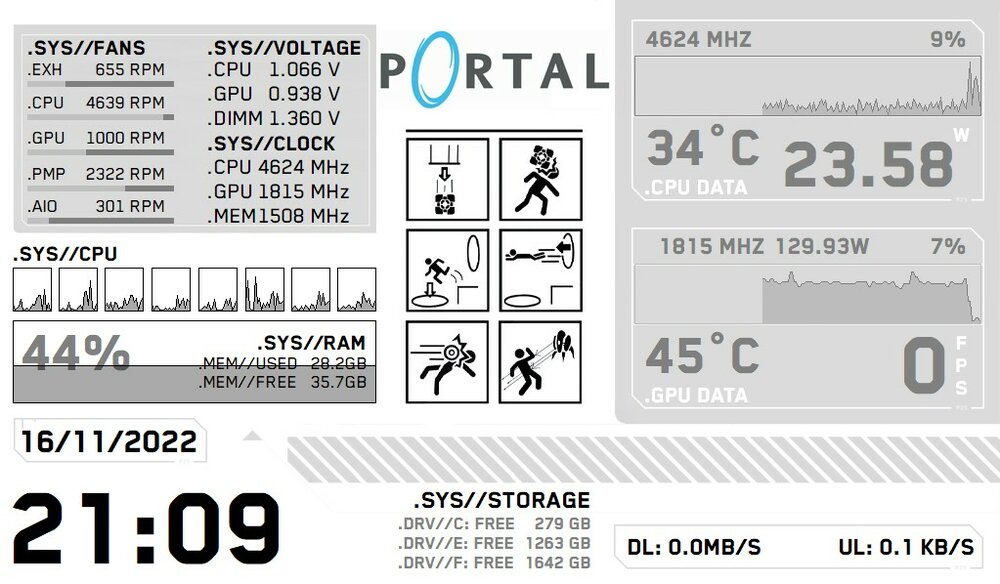
I have edited @Joransrb Cyberpunk77 Sensor panel, and converted it to a Portal themed sensor panel.
Hope it´s Ok and you don´t take it bad. Cheers
1024x600
-
3
-
-
1 hour ago, eljorge81005 said:
Help please, I've pulled a few of the files off here and when I import them, everything is differently sized and nothing is lined up. Am I missing something? A setting needing turned on/off? I'm working with a 1024x600 raspberryPi panel from amazon, hdmi for signal and MicroUSB power.
Windows 10 Pro
3090 ti FTW3 Ultra
R9 5950xMain display is 3440x1400
You need to know your display resolution and download the sensor panel files that match it, then in Aida64 in the preferences page, you need to set the right resolution that matches your panel/display on the sensor panel settings tab.
-
-
On 6/22/2022 at 4:43 PM, Plexy_pIays said:
Can you share the file for it?
and what resolution is it?
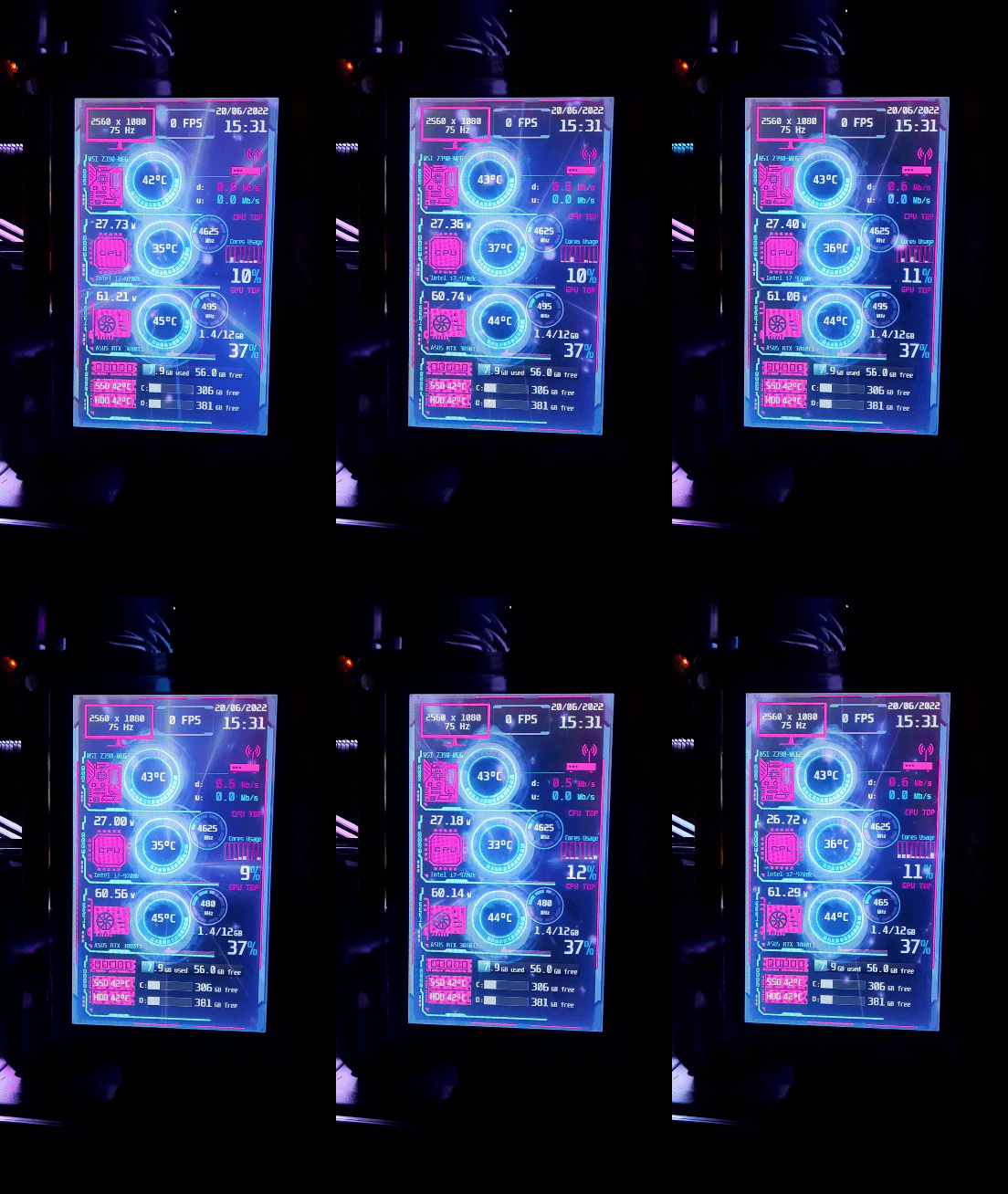
The animated file is a Wallpaper Engine file I made myself, You have to buy the software on Steam in order to use it. The resolution is 480x800.
-
I just made my first animated sensor panel.
-
10
-
 1
1
-
-
Had a similar problem on my MSI Z390 Meg ACE, I was running another monitoring software for a "chinese" lcd panel on the background and forgot about it. Once I turned it off, most of the sensors were detected.
-
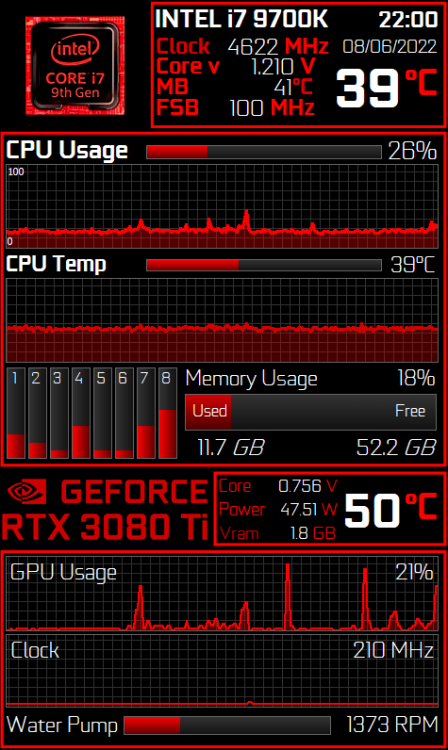
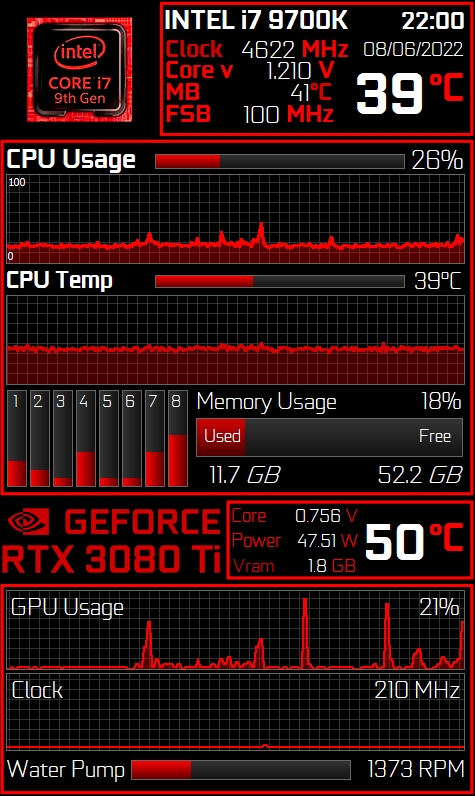
Here´s a remake I made for the MARTYDEMO AMD panel, I´ve edited the background to suit my setup and tweaked things a little bit. Also changed the font to the Geforce.
Cheers,
Ricardo
-
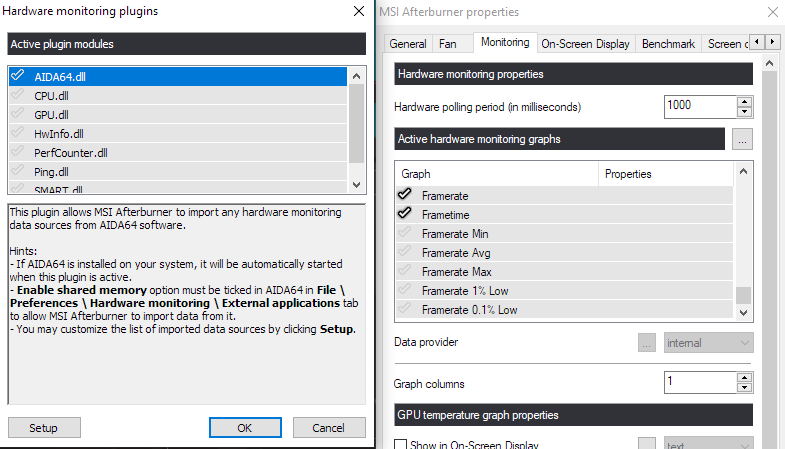
On Afterburner settings, go to Monitoring and Activate AIDA64.dll on monitoring graphs. Enable shared memory on AIDA too.
Hope it helps anyone.
Cheers,
Ricardo
-
Hello everyone,
I´m a noob and I have just started exploring the software, and I can´t find some sensors, although they show up in other software.
I´m missing the CPU package temp, the cores temps, and MB temps too. And I can only see the AIO pump (H150i PRO XT) and two fans.
Here is my ISA Sensor Dump:
------[ Versions ]------
Program Version : AIDA64 Extreme v6.70.6000
BenchDLL Version: 4.5.868.8-x64
Windows Version : Microsoft Windows 10 Enterprise 10.0.19044.1706 (64-bit)
GetProductInfo : 0x00000004------[ Motherboard Info ]------
Motherboard ID : 63-0100-000001-00101111-040517-Chipset$0AAAA000_BIOS DATE: 12/30/19 13:36:04 VER: V1.70
Motherboard Model : MSI MEG Z390 Ace (MS-7B12)
Motherboard Chipset : Intel Cannon Point Z390, Intel Coffee Lake-SDMI MB Manufacturer : Micro-Star International Co., Ltd.
DMI MB Product : MEG Z390 ACE (MS-7B12)
DMI MB Version : 1.0
DMI MB Serial : I916595157
DMI SYS Manufacturer: Micro-Star International Co., Ltd.
DMI SYS Product : MS-7B12
DMI SYS Version : 1.0
DMI SYS Serial : Default string
DMI BIOS Version : 1.70ITE SuperIO Port = 00h
ITE SuperIO HWMonitor Port = 0000h ( 0000h / 0000h)
ITE SuperIO HWMonitor MMIO = 00000000h (00000000h / 00000000h)
ITE SuperIO Device ID = 0000h ( 0000h / 0000h)
ITE SuperIO Version = 00h ( 00h / 00h)Winbond SuperIO Port = 00h
Winbond SuperIO HWMonitor Port/60 = 0000h (0000h / 0000h)
Winbond SuperIO HWMonitor Port/64 = 0000h (0000h / 0000h)
Winbond SuperIO Device ID = 0000h (0000h / 0000h)Fintek SuperIO Port = 00h
Fintek SuperIO HWMonitor Port = 0000h (0000h / 0000h)
Fintek SuperIO Device ID = 0000h (0000h / 0000h)SMSC SuperIO Port = 00h
SMSC SuperIO HWMonitor Port = 0000h (0000h / 0000h)
SMSC SuperIO Device ID = 0000h (0000h / 0000h)ASpeed SuperIO Port = 00h
------[ ACPI Temperatures & Fans ]------
_TZ_.THM0._TMP :
_TZ_.THM1._TMP :
_TZ_.THR0._TMP :
_TZ_.THR1._TMP :
_TZ_.TZ00._TMP :
_TZ_.TZ01._TMP :
_TZ_.RTMP :
_TZ_.RFAN :
_TZ_.RFAN(0) :
_TZ_.RFAN(1) :
_SB_.ATKD._HID :
_SB_.ATKD.TMPR :
_SB_.PCI0.LPC0.EC0_.CCTV :
_SB_.PCI0.LPC0.EC0_.LRPM :
_SB_.PCI0.LPC0.EC0_.HRPM :
_SB_.PCI0.SBRG.EC0_.ECPU :
_SB_.PCI0.SBRG.EC0_.TACH(0):
_SB_.PCI0.SBRG.EC0_.TACH(1):
_SB_.PCI0.SBRG.EC0_.TAH0 :
_SB_.PCI0.SBRG.EC0_.TAH1 :
_SB_.PCI0.SBRG.EC0_.ST00 :
_SB_.PCI0.SBRG.EC0_.SC01 :
_SB_.PCI0.SBRG.EC0_.SC02 :
_SB_.PCI0.SBRG.EC0_.SC03 :
_SB_.PCI0.SBRG.EC0_.SC04 :
_SB_.PCI0.SBRG.EC0_.SC05 :
_SB_.PCI0.SBRG.EC0_.SC06 :
_SB_.PCI0.SBRG.EC0_.TH0R :
_SB_.PCI0.SBRG.EC0_.TH1R :
_SB_.PCI0.SBRG.EC0_.F0TS :
_SB_.PCI0.SBRG.EC0_.F1TS :
_SB_.PCI0.PIB_.EC0_.TCRT :
_SB_.PCI0.SBRG.EC0_.CTPM :
_SB_.PCI0.SBRG.EC__.CPUT :
_SB_.PCI0.SBRG.EC__.SYST :
_SB_.PCI0.LPC_.EC0_.CTMP :
_SB_.PCI0.LPCB.EC0_.CTMP :
_SB_.PCI0.LPC_.EC0_.TMP1 :
_SB_.PCI0.LPC_.EC0_.TMP2 :
_SB_.PCI0.LPC_.EC0_.TMPI :
_SB_.PCI0.LPC_.EC0_.TMPV :
_SB_.PCI0.LPCB.EC0_.A1TP :
_SB_.PCI0.LPCB.EC0_.A2TP :
_SB_.PCI0.LPCB.EC0_.FAN0 :
_SB_.PCI0.LPCB.EC__.TS1R :
_SB_.PCI0.LPCB.EC__.TS2R :
_SB_.PCI0.LPCB.EC__.TS3R :
_SB_.PCI0.LPCB.EC__.F1FL :
_SB_.PCI0.LPCB.EC__.F1FH :
_SB_.PCI0.LPCB.EC__.F2FL :
_SB_.PCI0.LPCB.EC__.F2FH :
_SB_.PCI0.LPC_.H8EC.RTMP :
_SB_.PCI0.LPC_.H8EC.LTMP :
_SB_.PCI0.LPC_.H8EC.MTMP :
_SB_.PCI0.LPC_.H8EC.GTMP :
_SB_.PCI0.LPCB.H8EC.CTMP :
_SB_.PCI0.LPCB.H8EC.DTMP :
_SB_.PCI0.LPCB.H8EC.GTMP :
_SB_.PCI0.LPCB.H8EC.ITMP :
_SB_.PCI0.LPCB.H8EC.MTMP :
_SB_.PCI0.LPCB.H8EC.STMP :
_SB_.PCI0.LPCB.H8EC.PFAN :
_SB_.PCI0.LPCB.EC0_.OTPC :
_SB_.PCI0.LPCB.EC0_.VGAT :
_SB_.PCI0.LPCB.EC0_.CHPT :
_SB_.PCI0.LPCB.EC0_.CPUT :
_SB_.PCI0.LPCB.EC0_.SYST :
_SB_.PCI0.LPCB.EC0_.DTS1 :
_SB_.PCI0.LPCB.EC0_.DTS2 :
_SB_.PCI0.LPCB.EC0_.DIMM :
_SB_.PCI0.LPCB.EC0_.FANH :
_SB_.PCI0.LPCB.EC0_.FANL :
_SB_.PCI0.LPCB.EC0_.CUTP :
_SB_.PCI0.LPCB.EC0_.PHTP :
_SB_.PCI0.LPCB.EC0_.DIMT :
_SB_.PCI0.LPCB.EC0_.INLE :
_SB_.PCI0.LPCB.EC0_.PANT :
_SB_.PCI0.LPCB.EC0_.F0RM :
_SB_.PCI0.LPCB.EC0_.F0DT :
_SB_.PCI0.LPCB.EC0_.F1RM :
_SB_.PCI0.LPCB.EC0_.F1DT :
_SB_.PCI0.SBRG.EC0_.CUTP :
_SB_.PCI0.SBRG.EC0_.PHTP :
_SB_.PCI0.SBRG.EC0_.DIMT :
_SB_.PCI0.SBRG.EC0_.INLE :
_SB_.PCI0.SBRG.EC0_.PANT :
_SB_.PCI0.SBRG.EC0_.F0RM :
_SB_.PCI0.SBRG.EC0_.F0DT :
_SB_.PCI0.SBRG.EC0_.F1RM :
_SB_.PCI0.SBRG.EC0_.F1DT :
_SB_.SAMB.TMPC :
_SB_.SAMB.TMPH :
_SB_.STR0._TMP :
_SB_.STR1._TMP :
_SB_.STR2._TMP :
_SB_.STR3._TMP :
_SB_.STR4._TMP :
_SB_.STR5._TMP :
_SB_.STR6._TMP :
_SB_.STR7._TMP :
CPUT :
GPUT :
SYST :
FANT :
BATT :Thank you!
Ricardo
Edit: Got it working. Didn't realised I was running another monitoring software on the background.

Share your Sensorpanels
in SensorPanel
Posted
Olá! Tem aí o painel, também vai precisar de ter o Wallpaper Engine com esse fundo aqui:
https://steamcommunity.com/sharedfiles/filedetails/?id=3035302827
Vertical_DP_my_V2_480x800.sensorpanel