fizzgabiz
-
Posts
11 -
Joined
-
Last visited
fizzgabiz's Achievements






-
I have the same problem. The current release is freezing up periodically. I have everything disabled under stability, all sensor panels etc. I also increased every update inverval to 99999 ms. However, the application is still freezing roughly every 5 seconds for 5-10 seconds. Where can I find the Beta?
-
How about Virtual Sensors, a sensor that can be defined arithetically from other sensors? E.g. the mean value of 16 core temperatures or the max value of CPU and GPU powers etc. I'd actually prefer one traffic light for the maximum temperature of 5 SSDs instead of 5 different diagrams.
- 1 reply
-
- 1
-

-
I really appreciate the VU dials integration. However, I'm having troubles with the unit dimensions. If I change the unit of, e.g., a NIC Download Rate from KB/s to MB/s, the effect is not the same as within a sensor panel. The dial shows MB/s, but the value seem still be in KB/s which is impractical for a 10GBE interface. You are also not able to dial in the correct max value for this case as the number of digits is limited to 6.
-
Hi there, I just updated to version 8.20.8100. Unfortunately, I still don't see any SPD information of my Kingston KSM64R52BD4 modules on my ASUS WRX90E Board. While I do not care much about asset info, I really miss the temperature sensors on my RDIMMs. There should be 3 on each module. I do not think that this is related to something exotic as HWINFO provides everything as usual.
-
Threadripper 9985WX cache and memory benchmark
fizzgabiz replied to fizzgabiz's topic in Benchmarking, system performance
OK, THX! I just tried to figure out, how this relates to other benchmark results. But at least it works now and I have a basis for comparison. -
Threadripper 9985WX cache and memory benchmark
fizzgabiz replied to fizzgabiz's topic in Benchmarking, system performance
Thank you, Fiery. Can you provide some insights in your algorithm? What is the probability to hit in an open row buffer? 56%? -
Threadripper 9985WX cache and memory benchmark
fizzgabiz replied to fizzgabiz's topic in Benchmarking, system performance
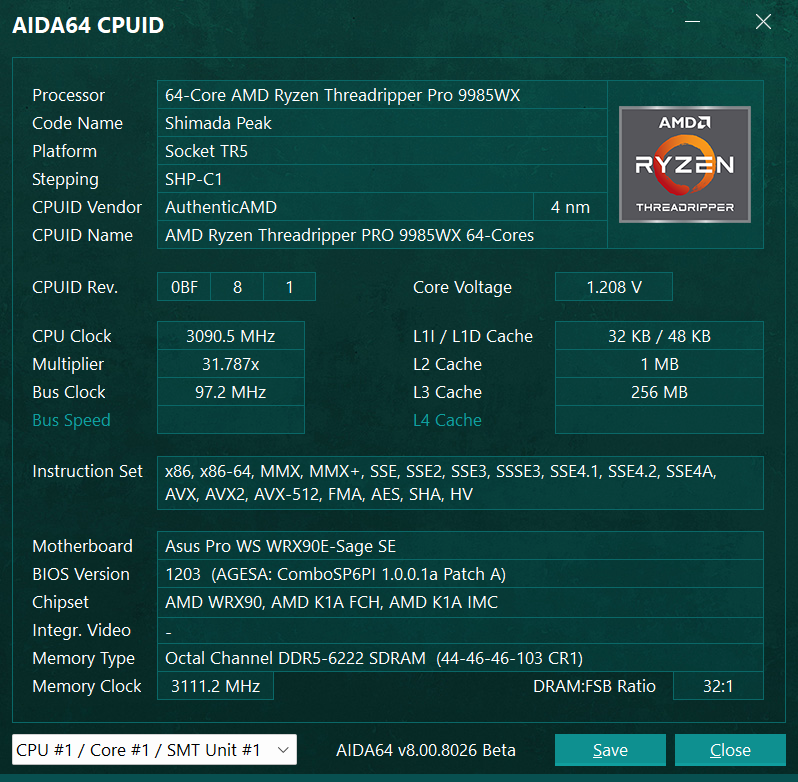
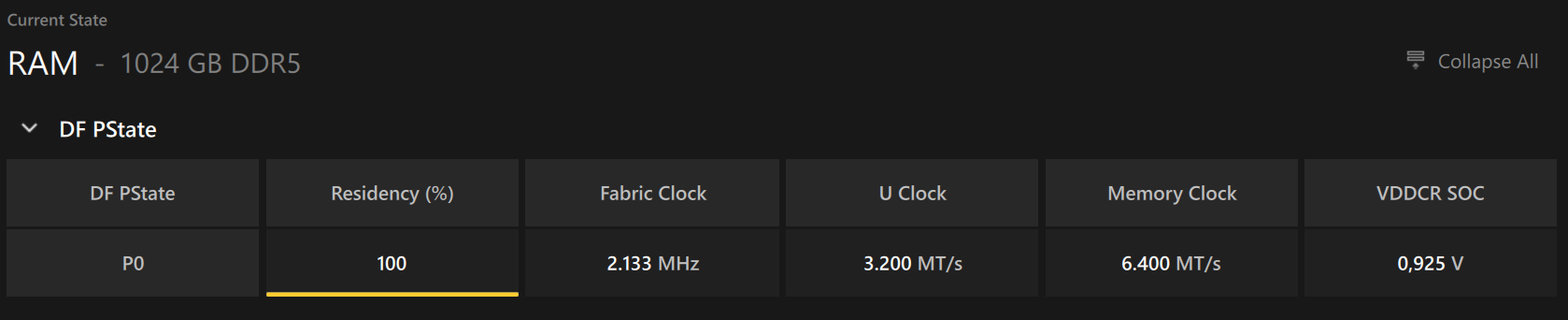
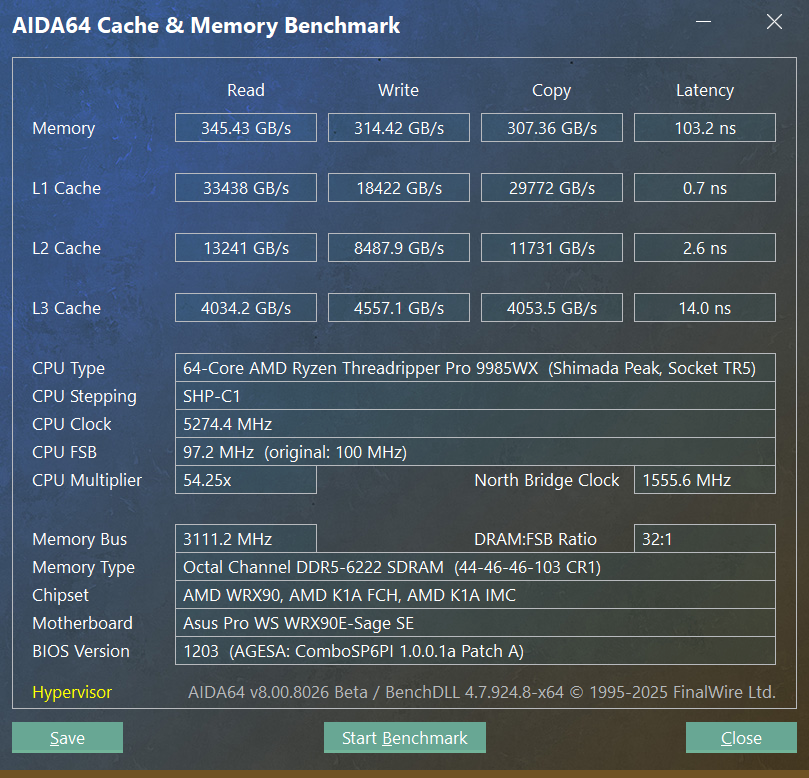
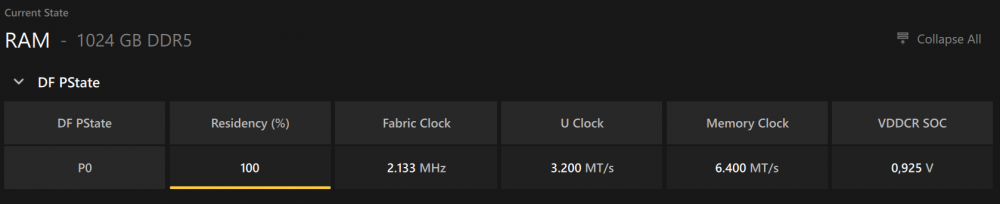
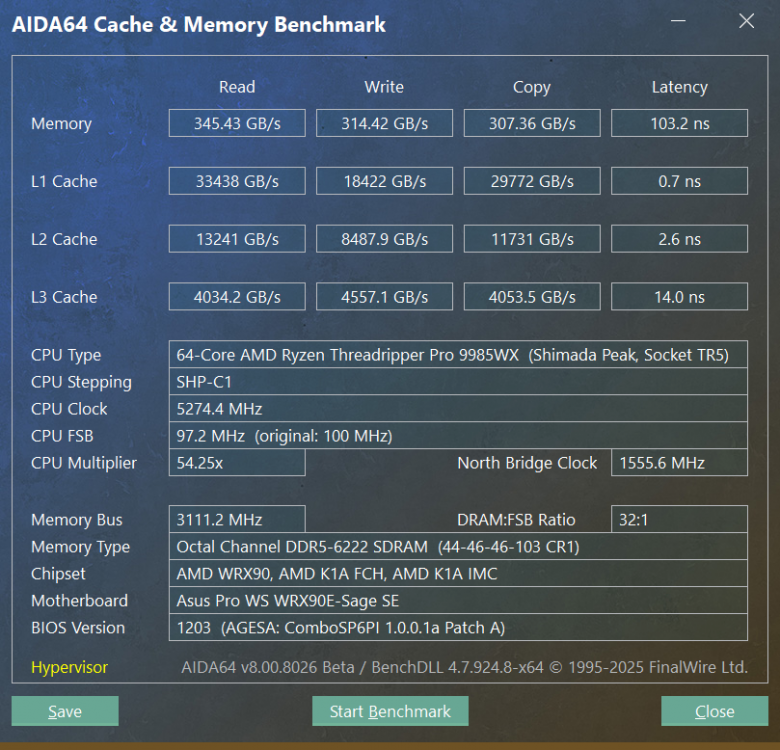
THX, Fiery, this acutally works "as usual", but the timings do not seem plausible and are not in line with other measures (latency >102ns for a current tune of RDIMM DDR5 6400-44-46-46-103). Should be ~65ns. Memory Clocks seem generally a bit off and Motherboard->SPD is still empty in my case.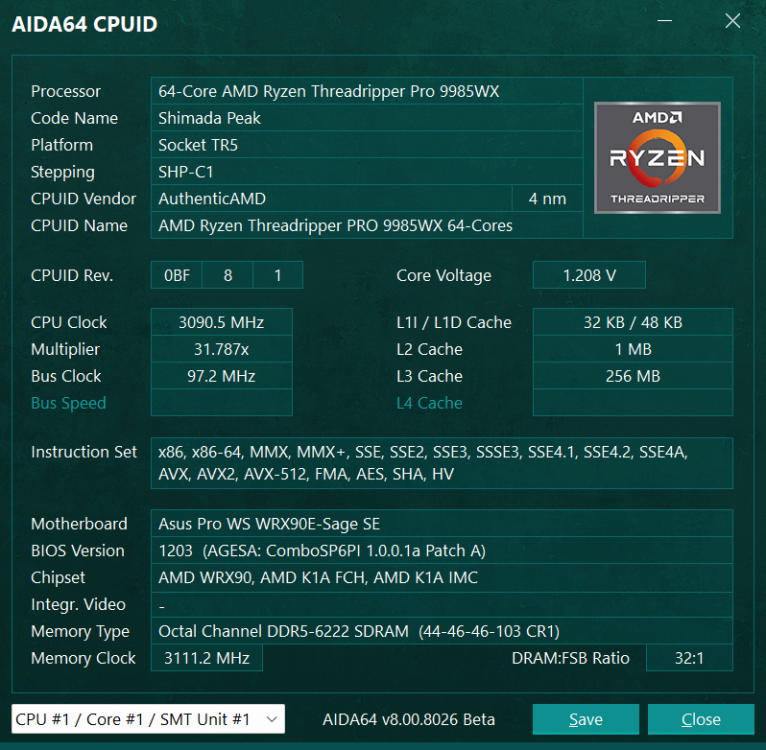
-
While trying to optimise my memory bandwidth, I noticed that AIDA64 fires up 128 threads on a 9985WX and thus takes an eternity to finish the benchmark. This approach might have some sense regarding the cache performance, but it renders the test pretty useless for determining the memory module performance on an 8 channel interface. But I would actually prefer to stick to AIDA64 for comparable results from quite some years now. Is there any tweak available for this? I was able to get some meaningful results by shutting down 6 out of 8 cores on every CCD in the BIOS, but this is rather cumbersome and leaves me with the impression of an artificial result.
-
Thank you, Fiery, for the reply and for considering this. For my technical understanding, this should be solvable within the instance of the widget. But of course, I don't know how this is realised in AIDA64.
-
I would love to have an option for the bar widget where i can state a timespan (in seconds) for which it will leave the last stripe on to indicate the maximum sensor value of that timespan. That would look much like an audio VU-Meter with a configurable delay period. A value of "0" could be used for a session maximum indicator (i.e. the maximum value since start of the AIDA64 monitoring task). Too bad that Christmas is just over...
-
Just want to say: "Thank you!" for adding Corsair AXi Support in Version 5.60.3720. Much appreciated and awaited for a long time. Works perfekt for me and it is really helpful to have this data now at hands in the event of a system crash/instability.