
Checki
-
Posts
24 -
Joined
-
Last visited
-
Days Won
2
Checki's Achievements






-
REQUEST: Fan speeds in % (Asus TUF Gaming B850-Plus WiFi)
Checki replied to Checki's topic in Hardware monitoring
No, all fans are there ("Cooling fans"). Just not every fan is in the section where you can see the % value ("Fan speeds"). -
REQUEST: Fan speeds in % (Asus TUF Gaming B850-Plus WiFi)
Checki replied to Checki's topic in Hardware monitoring
Ok i could quickly test it, now i have CPU speeds in % but fans are still just rpm and not available. But, i dont want to be an exception, just leave it if its so much work for just one board, makes no sense. Thank you! -
REQUEST: Fan speeds in % (Asus TUF Gaming B850-Plus WiFi)
Checki replied to Checki's topic in Hardware monitoring
ok cool, i can try soon, if i got time. May i ask: Is this an exception it didnt work for my board? Or did you fix it in general? Just curious... -
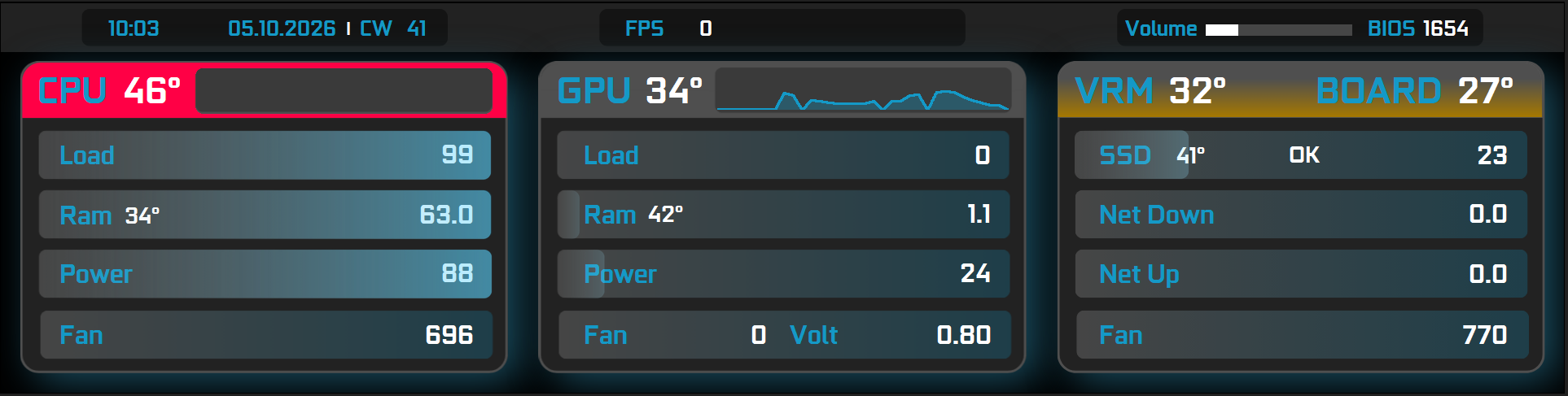
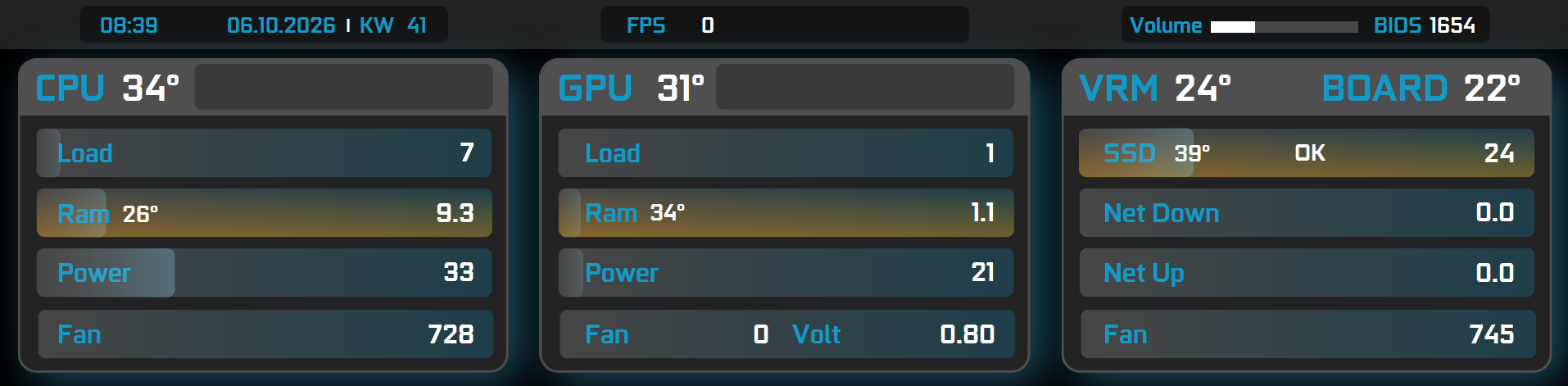
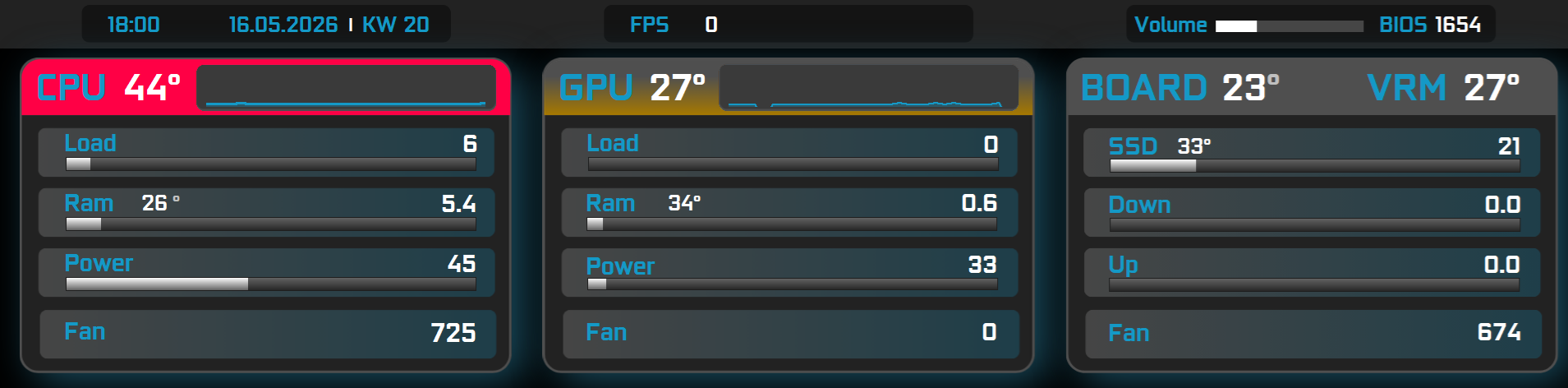
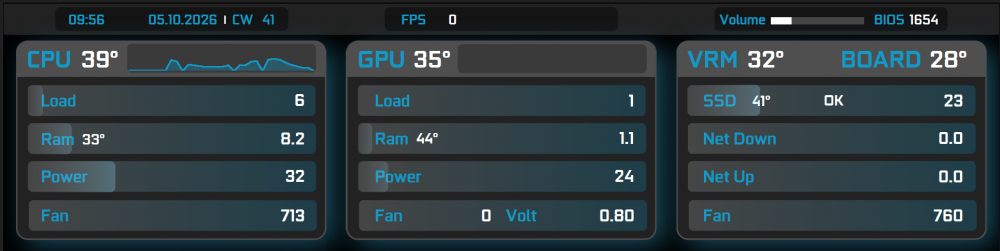
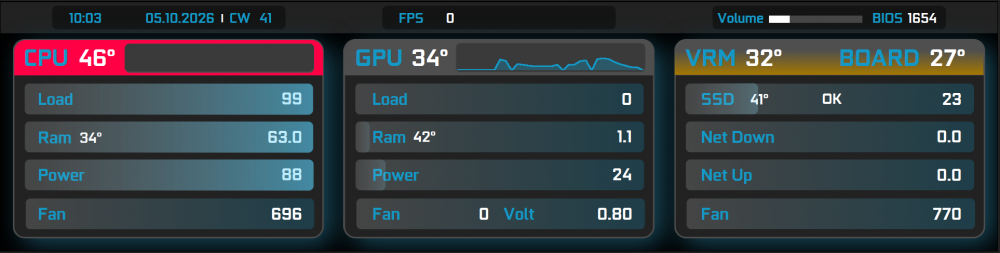
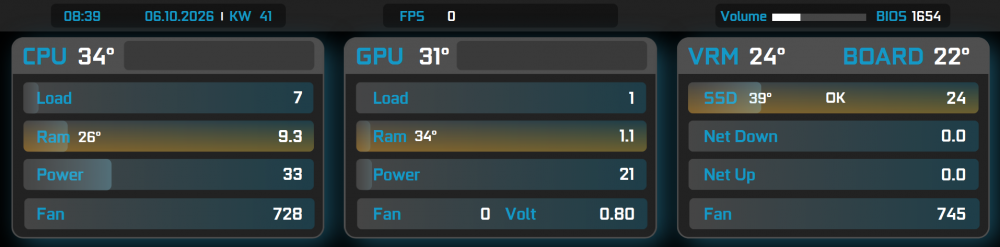
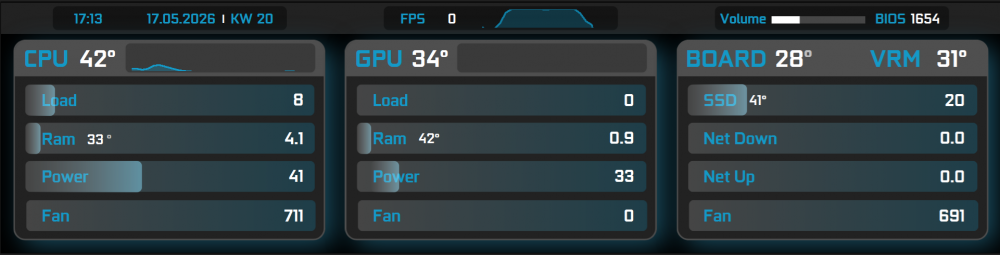
My final version now for Turing / Turzx 8.8" Screen (1920x480) Screenshot shows "normal" state: Screenshot show high temp warnings with colors: (its edited so the colors show up, warningtemps are actually higher of course) I wanted it to be very simple. You can get rid of the Volt in GPU section, or add something similar to the CPU section (MhZ for example). I will remove it, i just needed it for undervolting my GPU, its fine now, not needed anymore. If you have more than 1 SSD you could make the internet Speed in 1 single row and add another SSD in the free space. Have fun EDIT: I added for RAM / VRAM / SSD another graphic (yellow) for temp warnings. Please download again. Now its really final Sensor_neu.tulcd
-
REQUEST: Fan speeds in % (Asus TUF Gaming B850-Plus WiFi)
Checki replied to Checki's topic in Hardware monitoring
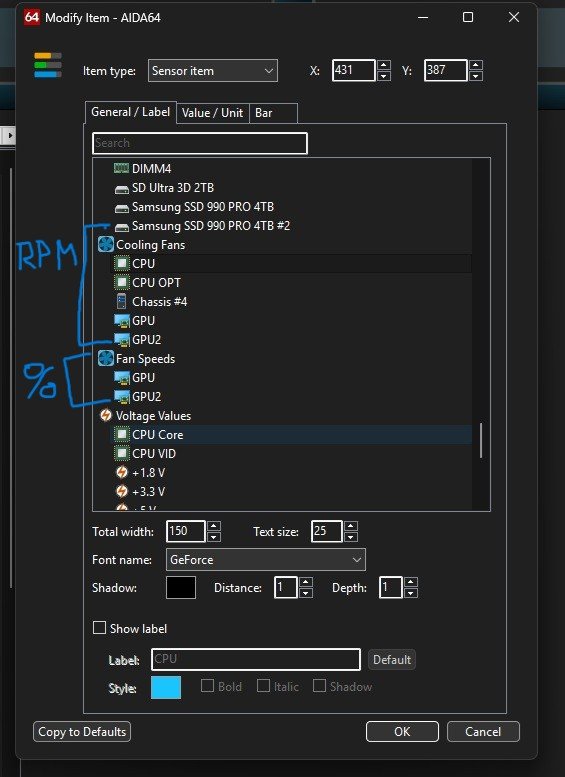
CPU Fan is at 730 rpm GPU Fans are at 0 rpm (I have 3 but Aida shows 2, but doesnt matter) Case Fans "Chassis 4" are at 900 rpm I also show you a screenshow what i exactly mean: ASUS B850 Tuf gaming wifi MSI 5070 Ti Gaming Trio isasensordump.txt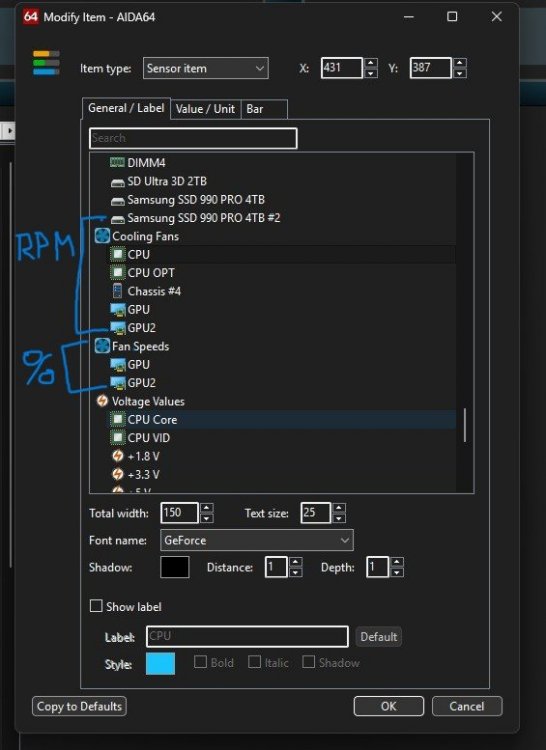
-
REQUEST: Fan speeds in % (Asus TUF Gaming B850-Plus WiFi)
Checki replied to Checki's topic in Hardware monitoring
I hope you make it possible -
Hello I think this happens after the recent AIDA update (not sure though). The Turzx 8.8 screen works for a while but then freezes. I then need to restart Aida and sometimes unplug the screen to restart it as well. Dont know if it helps, this is the driver version of turzx 8.8 V1.0 in the hardware manager: 10.0.26100.8972. AIDA is up to date stable version. Thank you
-
REQUEST: Fan speeds in % (Asus TUF Gaming B850-Plus WiFi)
Checki replied to Checki's topic in Hardware monitoring
Hello I have the ASUS TUF gaming B850 Plus Wifi. And i might add: I´m talking about the options in the LCD items menu for external LCD screens. There is one sensor area called "Fan speeds" (which is in %) and one area called "cooling fans". "Fan speeds" is only showing my nvidia GPU fans, "cooling fans" is showing all fans (cpu, gpu, case) but in rpm. For a LCD screen it would look great if we could have all fans in % instead rpm. -
Hello Basically as title says. For GPU i have the option to show fan speed in %, but not for case fans or cpu...could you add this please? Thank you.
-
Hello In the moment it is possible for GPUs to see fan speeds in percent, but not for CPU or case fans. I would like to have them all in % if possible. thank you
-
Yes red and blue isn’t the best but normally you shouldn’t see the red color, at least in my setup thank you, yes I’m beginner and used canva and gimp. didn’t see the progress bar option in canva, will try this next time. but as you can see in the last post, I changed the bars already. but I also thought about bars in the style you showed here! I will leave it for a week and will tweak some things, but no time for this now.
-
FINAL VERSION HERE: Checki.tulcd
-
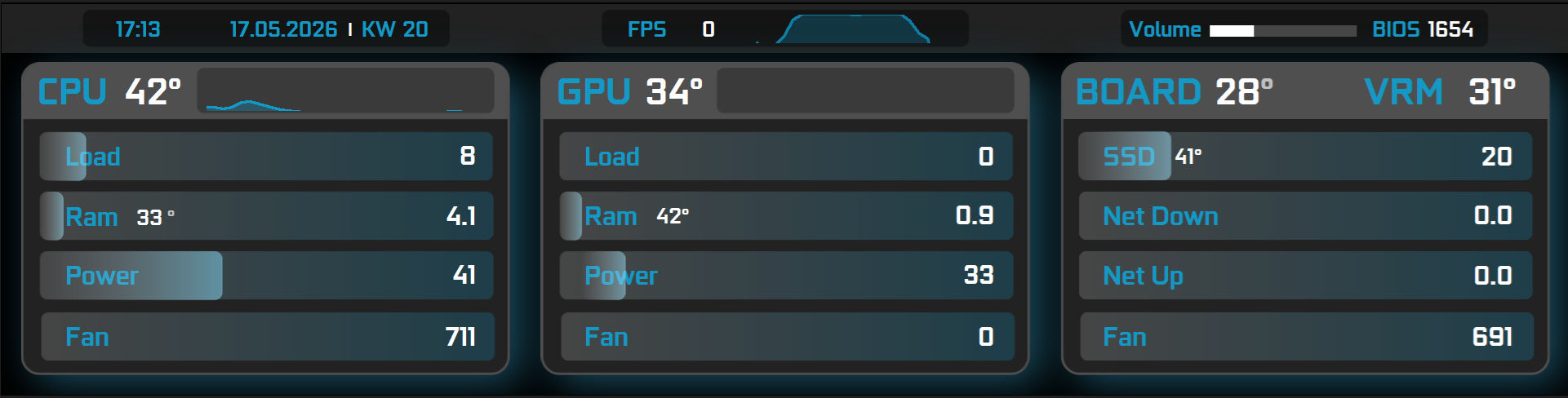
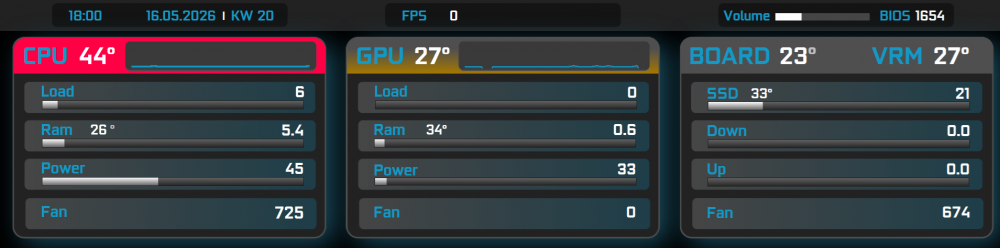
Hello Wanted to share my Panel for 8.8" screen (1920x480). Its my first try and i want to keep it as simple and clean as i can. I know i could add more info but for me those are the most important. Maybe i will add clock speeds and voltage as well, but thats the current state now. I still dont like the bars, i try to change them to custom but dont know how yet, working on it. What i really like is the yellow and red indicators on CPU + GPU (and Board as well) if the temp rises to a specific "warning" and "critical" level. So if there is no color, everything is fine. I think thats also a very clean and simple approach. What do you think? Its not done yet... but like 80%
-
What screen do you recommend me to replace mine
Checki replied to PatrickP's topic in General Discussion
I have the turzx 8.8 screen and don’t see any performance issues. -
Any plans to support Thermalright TROFEO VISION 9.16 LCD?
Checki replied to Schakal's topic in General Discussion
Why don’t you just buy the turzx 8.8 screen? It’s basically the same and works.