shi0nfx
-
Posts
7 -
Joined
-
Last visited
Content Type
Profiles
Forums
Events
Everything posted by shi0nfx
-
fixed: Layout issues on Galaxy S25 (One UI 8, Android 16)
shi0nfx replied to shi0nfx's topic in Android Forum
confirmed! -
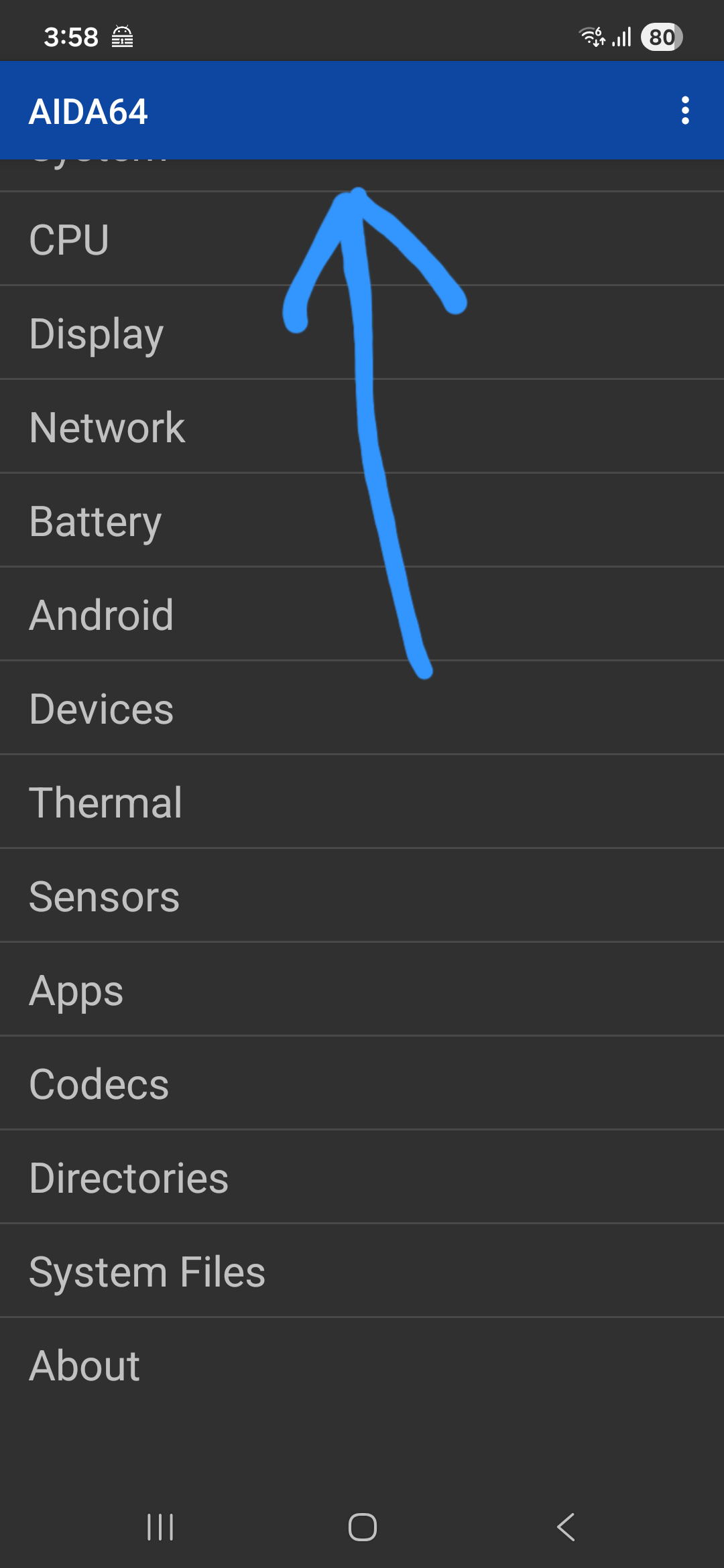
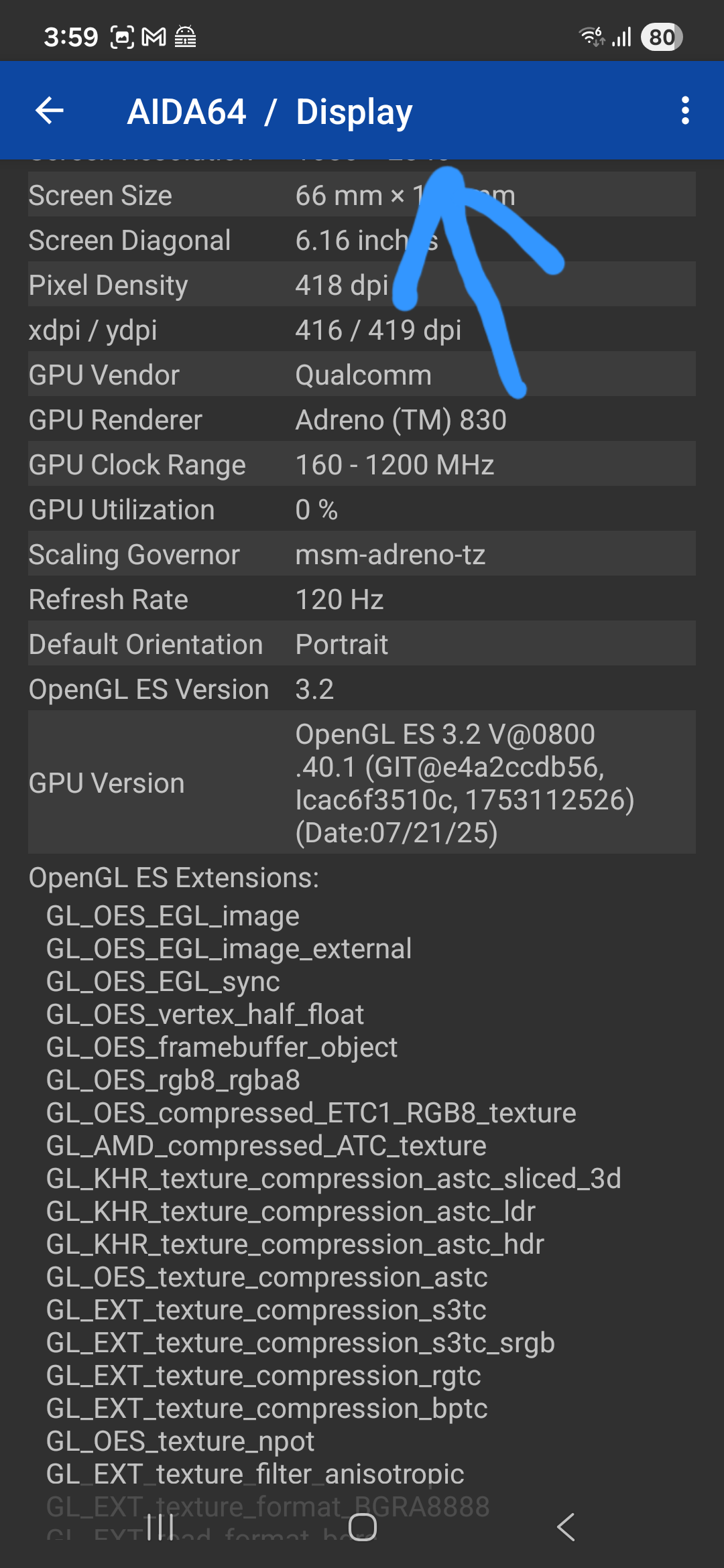
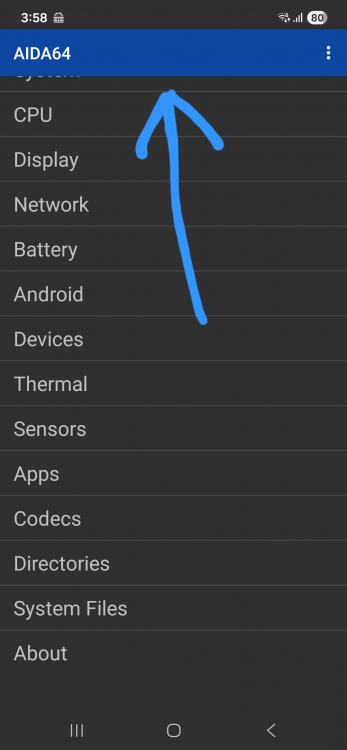
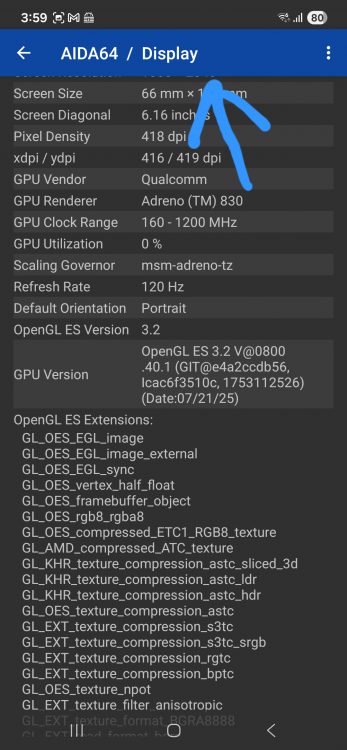
Please see the attached images. The top of the table in the AIDA64 app is missing. This is not because I scrolled down. This is the top part. I had changed the dpi in the developer options, so I thought that might be the problem and changed it back to the default (360 dpi), but that didn't solve the problem. The font size on the device is the default, and text zoom is not applied. I changed the font size from maximum to minimum on both the device and the app, but the problem persists. I have tried restarting the device and uninstalling the app. Device: Samsung Galaxy S25 JPN OS: One UI 8 (Android 16) AIDA64 version: 2.15
-
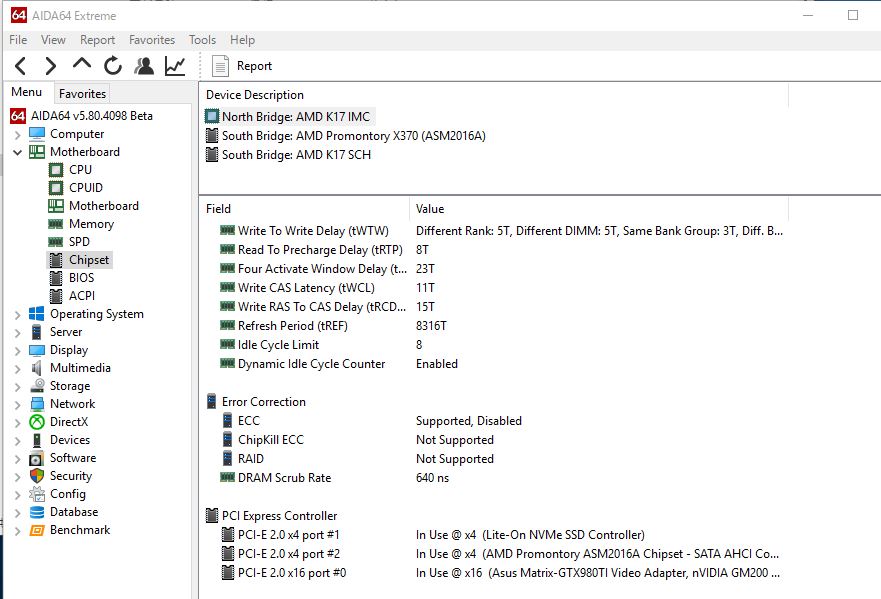
Motherboard > Chipset >North Bridge :AMD K17 IMC Filed:PCI Express controller It's displayed "PCI-E 2.0" But all devices are running at 3.0 (SSD,GraphicCard,and Chipset)
-
Hi ! I use AIDA64 with MSI afterburner(incl.Rivatuner OSD Server)+Aquacomputer aquaero 6 (with aquasuite)+OCCT For now, AIDA64 can not separate the setting of Rivatuner OSD Server and other external app. Other external App is no problem because they can set the individual value. But Rivatuner OSD Server has no settings for rendering OSD value. When I need a detailed value for other app, It has needless informations will be displayed on the Rivatuner OSD. So I need Independent settings for Rivatuner OSD Server with No change for any other External Apps. -------------------------------------------------------------------------------------------------------------------------------------- ã“ã‚“ã«ã¡ã¯ï¼ ç§ã¯AIDA64ã‚’MSI afterburnerã‚„Aquacomputerã®aquaero6 (aquasuite)ã€OCCTç‰ã¨ä¸€ç·’ã«ä½¿ç”¨ã—ã¦ã„ã¾ã™ã€‚ ã—ã‹ã—ã€AIDA64ã¯ä»Šã®ã¨ã“ã‚ã€Rivatuner OSD serverã¨ä»–ã®å¤–部アプリ用ã®ã‚»ãƒ³ã‚µãƒ¼å€¤å‡ºåŠ›ã®è¨å®šã‚’分離ã™ã‚‹äº‹ãŒã§ãã¾ã›ã‚“。 外部アプリã¯ä½¿ç”¨ã™ã‚‹ã‚»ãƒ³ã‚µãƒ¼ã®å€¤ã‚’個別ã«è¨å®šã§ãã‚‹ã®ã§å•é¡Œã‚ã‚Šã¾ã›ã‚“ãŒã€Rivatuner OSD serverã¯OSDã®è¡¨ç¤ºã™ã‚‹é …ç›®ã«ã¤ã„ã¦ã®è¨å®šã¯ã‚ã‚Šã¾ã›ã‚“。 ãªã®ã§ç§ãŒaquasuiteã‚„OCCT用ã«è©³ç´°ãªã‚»ãƒ³ã‚µãƒ¼å€¤ãŒå¿…è¦ã«ãªã£ãŸéš›ã€ãã®ã¾ã¾ã ã¨OSDå´ã«ã¾ã§ä½™è¨ˆãªè¡¨ç¤ºãŒã•ã‚Œã¦ã„ã¾ã„ã¾ã™ã€‚ ãªã®ã§ã€å¤–部出力用ã«ä½¿ç”¨ã™ã‚‹ã‚»ãƒ³ã‚µãƒ¼å€¤ã¨ã¯ç‹¬ç«‹ã—ã¦Rivatuner OSD serverã«ä½¿ç”¨ã™ã‚‹ã‚»ãƒ³ã‚µãƒ¼å€¤ã‚’指定ã§ãるよã†ãªè¨å®šæ–¹æ³•ãŒæ¬²ã—ã„ã§ã™ã€‚
-
Great! It works fine Now CPU Core Voltage has same as my BIOS settings and ASUS utility! Thank fix!
-
Here is dump Files and Sensor Logs! ecdump.txt isasensordump.txt smbusdump_full.txt
-
AIDA64 Extreme has shown not correctly CPU voltage​ on ASUS X99-DELUXE II. I set vCore to 1.29v, but AIDA64 shown "1.696v" (and CPU-Z has shown "1.293v") other value (Cache,VRM=Input Voltage,VCCSA,etc...) has shown correctly(may be...). only CPU Voltage. *sorry my poor English and Japanese snap shot*