COSTAJUNIOR
-
Posts
522 -
Joined
-
Last visited
-
Days Won
102
Content Type
Profiles
Forums
Events
Everything posted by COSTAJUNIOR
-
 Major update! 🔧 Now with custom color renaming and deletion, the control is total. 🔥 Huge thanks for delivering exactly what we needed! 😉
 -
REQUEST NEW FEATURE - Date in the Custom Gauge
COSTAJUNIOR replied to Surjeet's topic in General Discussion
Awesome! Excellent update — these new hour, minute, and second sensors will open up more possibilities for real-time visuals. Thank you so much for this! I’m already imagining tons of ideas 😎👏 Let’s test it out! -
REQUEST NEW FEATURE - Date in the Custom Gauge
COSTAJUNIOR replied to Surjeet's topic in General Discussion
Interesting comparison! The difference between 32GB CL40 and 64GB CL30 is definitely significant, especially for tasks that involve reading and writing large files — so it makes sense that the save time improved with the new RAM. I also agree with the tip about optimizing images: the smaller and fewer the unique files in the skin, the faster the saving process will be. Using a common base as the background and separating only the dynamic elements (like the clock hand) is a great practice to maintain performance. Smart move! 😉 -
I fully support these suggestions. Being able to format values with leading zeros, like in Excel, would make sensor readings much more consistent — especially in fixed-layout designs. It would be great if this option worked across various sensors such as usage, clock, power, temperature, time, network, memory, and others. Ideally, this should be configurable directly within the Modify Item menu, without relying on manual adjustments in Hardware Monitoring. I also believe it’s essential to allow units like °C, %, RPM, W, V, etc. to be displayed directly on custom sensors — this would make the data clearer and more complete. These are simple improvements, but they would make a significant difference in the customization and visual quality of the skins. 👊😉
- 10 replies
-
- 1
-

-
- sensor format
- sensors
- (and 4 more)
-
REQUEST NEW FEATURE - Date in the Custom Gauge
COSTAJUNIOR replied to Surjeet's topic in General Discussion
The project is turning out great! But with that many states, isn't the save process getting heavier or taking longer than usual? -
REQUEST NEW FEATURE - Date in the Custom Gauge
COSTAJUNIOR replied to Surjeet's topic in General Discussion
This is music to the eyes of those who live for creating creative SensorPanel interfaces! With these new date sensors, we can now turn any skin into a living panel that breathes real-time data. Imagine a dashboard that dynamically changes with the day of the week or stylishly displays the month’s name — it’s like giving the layout a soul. Congrats on this addition, AIDA64 is becoming more and more powerful for those who see design as functional art. Now it’s time to play with time! Thank you so much for listening to the community and evolving the software with such care! ❤️ -
Whoa! 😍 This is exactly what I had in mind. The new right-click context menu for quick and easy color customization in the SensorPanel is a game changer 🎨✨. So much faster and more intuitive now! 🙌 Huge thanks for listening to the community ❤️. We truly appreciate this kind of update 🔧🔥. Keep up the amazing work! 🚀👏
-
Okay, I don't speak English, so I have to rely on translators, which never manage to interpret my ideas correctly 🤦♂️. In the end, all I can do is sit with a bag of popcorn 🍿, waiting for another update that will surely turn out amazing 😅✨.
- 58 replies
-
- 1
-

-
- sensorpanel
- hex code
- (and 11 more)
-
Wouldn't it be simpler to keep access the same as it is in the current palette? Clicking on a color would open the new selection box with all the new features built in.
-
Perfect 😍, this update is very well on track and represents a big leap in usability. Switching to the MS Paint color set was a great choice, and the compatibility with the GPL format makes things much easier for those who work with custom palettes. The ability to easily save and load colors is a major plus. The new patch size (18x18px) with borders makes everything cleaner, more functional, and pleasant to use — especially with the automatic scaling based on Windows settings. That ensures accessibility in all scenarios. The only thing that still bothers me a little is having to use the right mouse button to access the new color palette. I hope to see it available more directly, without relying on that shortcut. That said, the recent colors system looks great, and the palette customization method is clear and intuitive. Keep up the great work — the refinement is looking impeccable! 😉
-
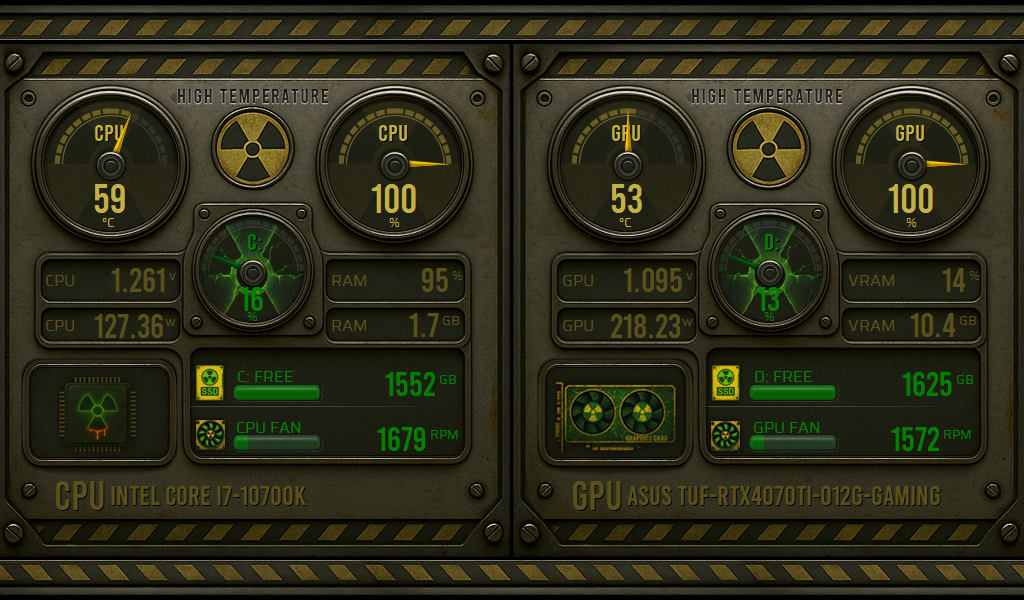
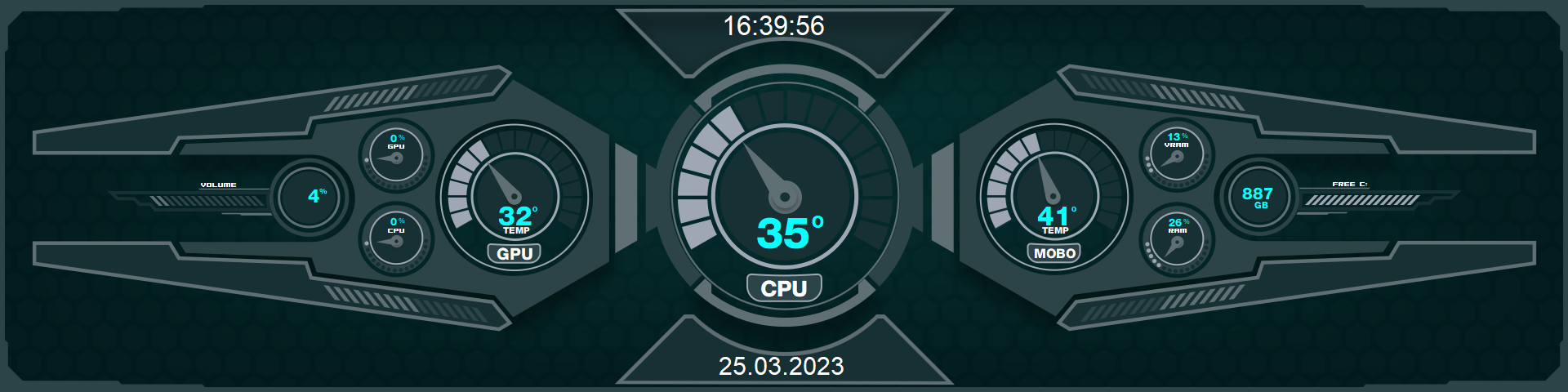
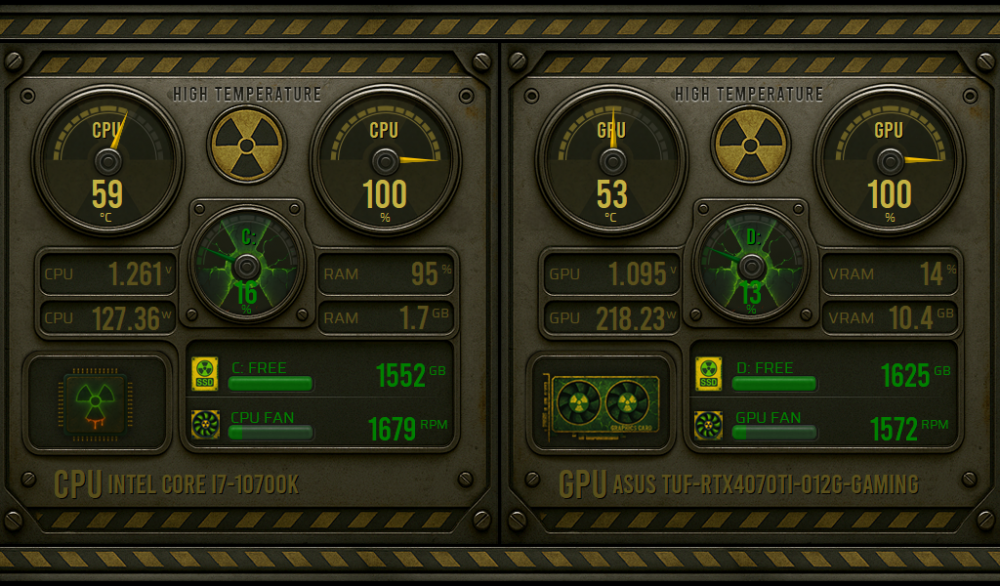
🟡 Radiation Protocol - in 1024x600 and 1920x480 ⚫ This skin was forged in the core of a fictional nuclear reactor — post-apocalyptic aesthetic, industrial vibe, and visuals inspired by radioactive containment panels. Every detail crafted for those who crave extreme monitoring with a brutalist flair. 🔥 Features: Full monitoring for CPU and GPU (temperature, load, voltage, power draw, fan speed, RAM/VRAM usage). Analog gauges styled after industrial emergency dials. Storage indicators with custom SSD icons. Nuclear-themed visuals with radiation icons, worn metal textures, and glowing green/amber tones. The "High Temperature" nuclear symbols dynamically reflect the CPU (left) and GPU (right) temperature states. Discover this and other models at: [AidaSkins]
-
1) Yes, a single custom palette like in MS Paint is perfectly fine. Having Save and Load options is enough to give flexibility. 1/b) No, I don't see the need for multiple palettes with tabs at this point. I prefer keeping the interface simple and focused, with just one customizable palette. 2) 24 custom colors is a good number. It's a balanced amount — not too many, not too few — and it keeps things organized. 3) If possible, using a standard format like .ASE (Adobe) or .GPL (GIMP) would be great for compatibility. But if it's easier to create a custom format, that's fine too — as long as it's easy to read and edit. 4) Yes, naming the custom colors would be very helpful. It makes it easier to identify specific colors used in a project. 5) Yes, a right-click context menu on the color patches (like in the SensorPanel item configuration) would be very useful. It would save time by allowing quick access to saved colors without opening the entire color picker dialog. 6) 10 recent colors would be ideal. That gives good recall without taking up too much space. 7) 20x20 px would be a better size than the current 16x16 px. Slightly larger patches — like the 20 px circles used in MS Paint — would improve usability, especially on high-DPI or 4K screens.
- 58 replies
-
- 1
-
-
- sensorpanel
- hex code
- (and 11 more)
-
REQUEST NEW FEATURE - Date in the Custom Gauge
COSTAJUNIOR replied to Surjeet's topic in General Discussion
Hey! I also found the idea interesting and fully support the implementation of this new feature. I've developed a few projects in this style, but I noticed that the saving process became quite slow due to the large number of states created.😉 -
Wow! 😍 Once again, you’ve surprised us with these amazing updates. Congratulations on fulfilling yet another one of our requests — it really shows your care and attention to the community. I'd like to take the opportunity to suggest a few improvements, if possible. Customizable and Saved Color Palette: Managing custom colors is essential. Being able to save, name, and even export/import palettes would help a lot, especially for those who create multiple skins and need to maintain a consistent visual identity. Recent Color History: A small history of recently used colors would also make a big difference in the creative workflow. Also, it would be great to make the new panel more intuitive. I’m not sure if the old version will be replaced when this one is officially released, but removing the need for a right-click to access the new color picker would definitely improve the usability. A more accessible and straightforward interaction would benefit all users. 👊😉
- 58 replies
-
- 1
-
-
- sensorpanel
- hex code
- (and 11 more)
-
Man… I don’t even know where to start. This update turned out crazy good! I tested it with 101 states and the result was insane — seriously, you nailed it. Congrats on the work, it’s getting better and better, and huge thanks for always listening to us and delivering more than we expect. I N C R E D I B L E. No exaggeration. 😍 😍 Now, just one question: with this change, does the “Change Source” option still make sense, or did it lose its purpose?
-
I agree with @BHSY. Keeping the original 15 states intact is essential so it doesn’t affect the sensors that have already been created. But it would be amazing to have new options like 30, 50, and 101 states — that would open up a huge range for creating even more personalized and detailed sensors. It would be a major step forward in customization!
-
SensorPanel Manager: Smart Sensor Replacement (NEW Feature)!!
COSTAJUNIOR replied to Surjeet's topic in SensorPanel
Thanks, it looks perfect! 😀 -
SensorPanel Manager: Smart Sensor Replacement (NEW Feature)!!
COSTAJUNIOR replied to Surjeet's topic in SensorPanel
I managed to find the function. It was actually there all along — the trick is to right-click on the sensor you want to change and select the Change Source option. I was double-clicking instead, which is why that option never showed up.😁 I’d like to suggest an improvement: when selecting Change Source, the system should display all available sensors, not just those in the same category. For example, if I click on a CPU temperature sensor, it only shows other temperature-related sensors. This really limits customization. Another important suggestion: it would be great to have an option to select multiple sensors at once and apply changes to all of them automatically. That would save a lot of time instead of having to update each one manually. -
SensorPanel Manager: Smart Sensor Replacement (NEW Feature)!!
COSTAJUNIOR replied to Surjeet's topic in SensorPanel
Thank you again for the update. However, in my case, it had no practical effect, even after applying it. When I replace a sensor — for example, switching the CPU temperature sensor to the GPU — the minimum and maximum values are not preserved. I'm specifically referring to the use of sensors with 100 states distributed across 8 custom sensors. I would also like to suggest adding the option to select all 8 custom sensors at once and change them simultaneously, instead of having to modify each one individually. -
SensorPanel Manager: Smart Sensor Replacement (NEW Feature)!!
COSTAJUNIOR replied to Surjeet's topic in SensorPanel
Thanks a ton for always responding so quickly and bringing these awesome improvements to the community. Can’t wait to try out the next beta! Now all that’s left is that legendary update everyone’s dreaming of: the glorious animated GIF! 😂🔥 -
SensorPanel Manager: Smart Sensor Replacement (NEW Feature)!!
COSTAJUNIOR replied to Surjeet's topic in SensorPanel
Absolutely, I’m fully on board! For setups using 100 states across 8 sensors, this would definitely make a huge difference. Keeping the minimum and maximum values preserved when switching sensors isn’t just convenient — it’s essential for anyone managing complex layouts. It saves time, reduces errors, and makes the whole process much smoother. 👊 -
I’ve been following along, but it’s very confusing to me. @Fiery @BHSY, @Surjeet, I opened the sensorpanel_default.spzip file and the images are sized at 896x896 pixels with a resolution of 288. To ensure all scales work correctly without errors, do we need to create the gauges at this resolution?
-
fixed: Gauge Bug – State #0 Name Cut + Icon Changed (Latest Update)
COSTAJUNIOR replied to COSTAJUNIOR's topic in Bug reports
I updated to the latest beta version and everything is working perfectly. I appreciate how quickly and reliably you always address and fix issues. 😉 -
Here you will find several models. https://forums.aida64.com/search/?q=600x1024&quick=1&type=forums_topic&item=13296
-
fixed: Gauge Bug – State #0 Name Cut + Icon Changed (Latest Update)
COSTAJUNIOR replied to COSTAJUNIOR's topic in Bug reports
Perfect, thanks for the update! Glad to hear you were able to identify the bug. Even if it’s just visual, it’s good to know the internal functionality is working correctly. Looking forward to the fix — thanks for the continued effort! 😊