
BHSY
-
Posts
319 -
Joined
-
Days Won
59








Recent Profile Visitors
16338 profile views




BHSY's Achievements






-
Hello @Fiery, I’ve run into a problem with the GPU Hotspot sensor. Yesterday I noticed it reports the same temperature as GPU Temp. I set it up as a simple sensor item and a custom gauge, but after saving, and re‑importing, it always reverts to GPU Temp. I also tried setting it up as a sensor item; the result was the same. For reference, I’m currently using AIDA64 version 8.40.8510 Beta with an Asus TUF RTX 5070 Ti Gaming 16GB running the latest NVIDIA driver 617.42. The same result occurs on version 8.40.8505 Beta as well. Please refer to the attached screenshots. Best regards, Bryan (BHSY)
-
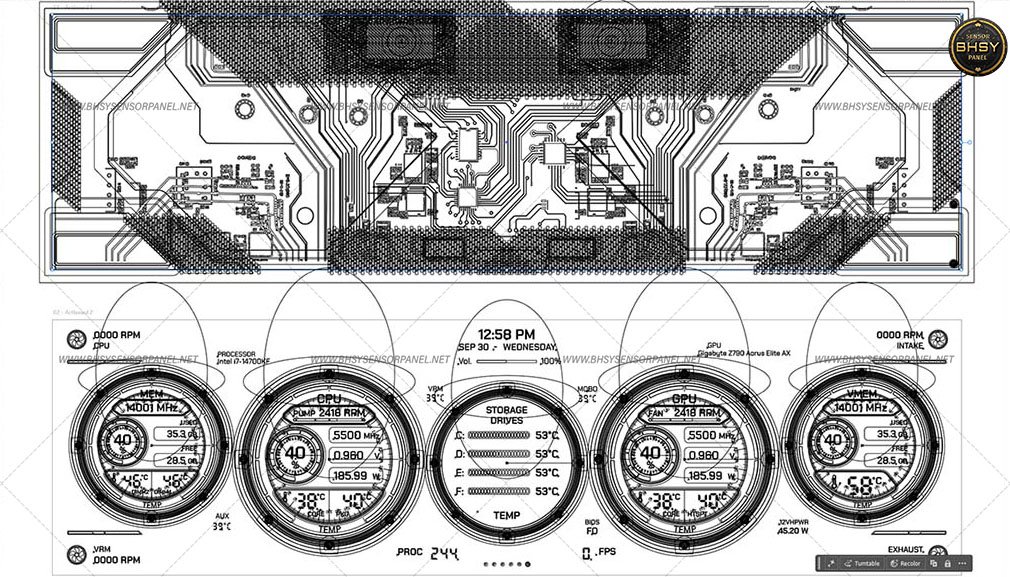
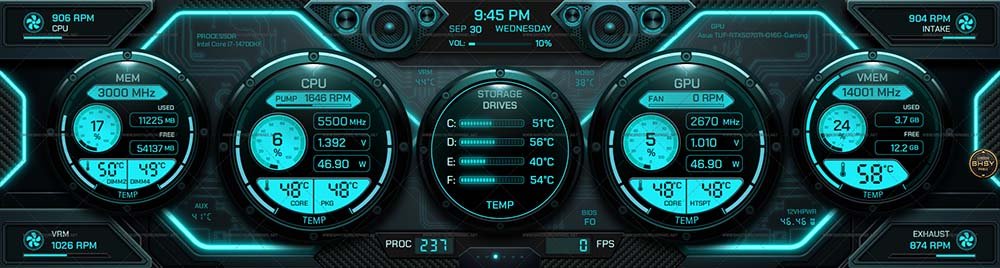
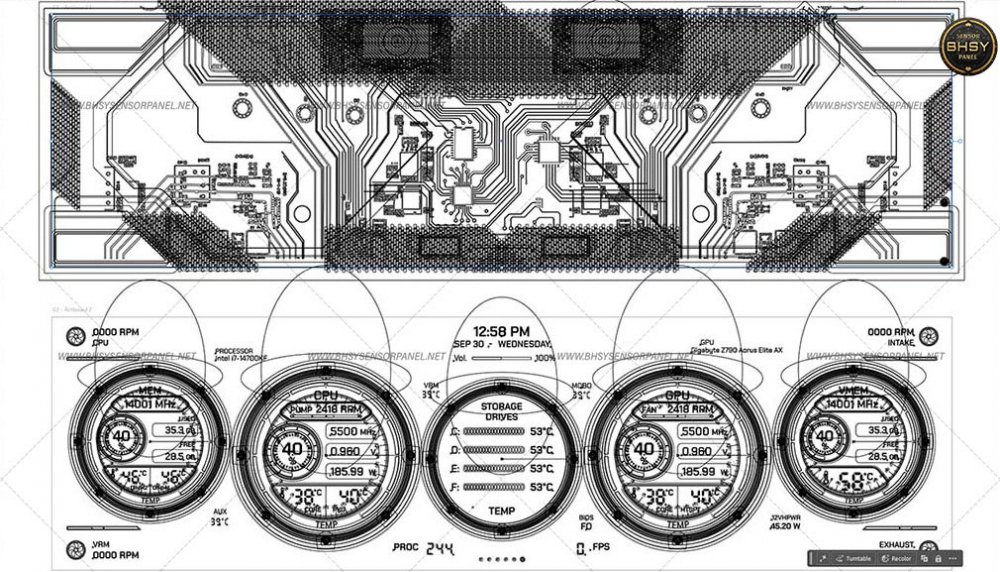
86 - Hyper Flux Grid 1920x480 / 1920x515 / 2560x720 / 3840x1100 / 480x1920 / 515x1920 / 720x2560 This sensor panel displays real‑time statistics across CPU, GPU, memory, and storage components. It integrates multiple sensor types, including: Processor sensors: CPU speed, core/package temperatures, pump and fan RPM, VRM temperature. Memory sensors: Frequency, usage, free capacity, DIMM temperatures. GPU sensors: Core speed, voltage, power draw, fan RPM, hotspot/core temperatures, VRAM speed, usage, and temperature. Motherboard & auxiliary sensors: MOBO temperature, auxiliary temperature, intake/exhaust fan RPM. Storage sensors: Drive temperatures for multiple disks. System metrics: Volume level, FPS counter, and process count. The five reflection lenses within the sensor interface can be hidden from the SensorPanel Manager to enable individual sensor modification. Visit my website for more templates.
-
If my post is considered irrelevant or off‑topic, please feel free to remove it. Sharing a quick fact on copyright: Copyright protection is automatic when a work is created; there's no need to spend money or mail yourself a copy. Registration can help enforcement, but it isn’t required. Sharing something for free doesn’t make it “open source” or give others the right to repost; the work remains copyrighted. Even on forums or other media, creators are entitled to enforce that. In some cases, other forum and media admins have removed reposts of other people’s work, whether originally shared for free or sold, out of respect for copyright. The law does allow individuals to create and share derivative works under certain conditions, but that doesn’t override automatic copyright, nor does it permit reposting without consent. It’s not a blanket permission to repost or redistribute someone else’s files. Copyright law applies regardless of platform; posting on a forum or other media doesn’t strip rights. The only difference is enforcement: on a public forum, it’s harder to control redistribution, but copyright still exists. This matters here because sensor panel designs are creative works, and copyright applies to them as well. Just sharing what I know; end of note; no further discussion.
-
Friendly Note to Fellow Members I recently discovered, through the Copyright Act and the DMCA, that copyright applies even to free panels or shared works. That means reposting without permission, even a single element such as the panel image or gauges, is still considered copyright infringement. I thought it might be helpful to share this; it is always best to ask the author first before reposting, including on other sites. Many of us (myself included) once thought that copyright didn’t really apply to free panels or shared works, since so many forums focus on free contributions and because they’re free. But in truth, copyright still applies, whether the work is free or paid. Out of respect for each other’s effort: 🙋 Ask the author before reposting. 🔗 Give proper credit and the author’s link when sharing is allowed. 🎨 Treat free panels with the same respect as paid ones. 📩 If you find a panel you like but the download link is gone, it’s always best to reach out directly to the original author. 🛑 Authors can request removal if their work is reposted without permission. ✨ I hope this reminder helps keep our community supportive and fair to all creators so that members can continue creating and sharing their work with ease. If the moderator or admin feels this post isn’t off-topic, please feel free to take it down. Note: I wasn’t posting this based on forum rules, but simply sharing what I discovered through the Copyright Act and the DMCA, a reflection I wanted to share, without opening further discussion.
-
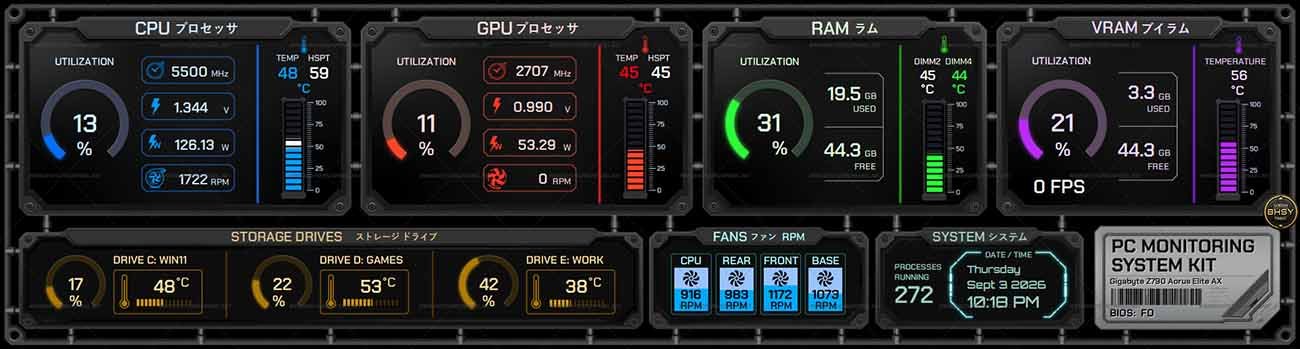
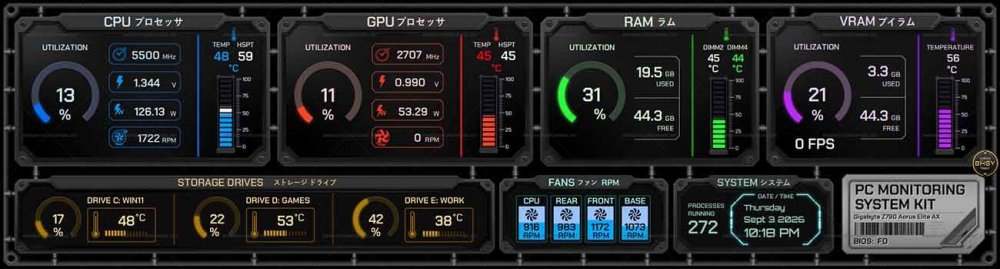
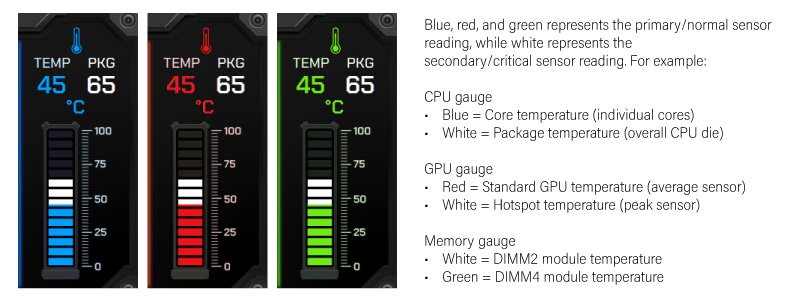
85-2560x720-Sprues Grid 1920x480 / 1920x515 / 2560x720 / 480x1920 / 515x1920 / 720x2560 The Sprues Grid is a PC monitoring dashboard that combines English and Japanese labeling to deliver a visually striking yet highly functional system overview. It organizes real‑time performance and thermal data into clear sensor categories. Get yours today! The background color can be changed to black or light grey in Preferences → SensorPanel. Visit BHSYSensorPanel for more info. and designs
-

Feature Request: Manual input of Scale Percentage by panel Width and Height
BHSY replied to BHSY's topic in Brainstorming
Have you checked whether those elements have width and height values set in the resize option? If no values are entered, the scale feature cannot resize them. I have no issue resizing all my elements. As long as the elements have width and height values entered in the resize option, the new Scale by… feature will resize them proportionally; you don’t need to use a v‑h ratio manually. Any minor ± differences are negligible when you enter the percentage with two decimal places. At first, I wasn’t sure about your calculation; it took me a bit of time to work through and understand it. I’ve never used the ratio method myself; it's too tedious for me. My approach has always been to take the resized element dimensions directly from Illustrator. -
Feature Request: Manual input of Scale Percentage by panel Width and Height
BHSY replied to BHSY's topic in Brainstorming
Ah, I see. You’re using the ratio to resize individual elements. That definitely works, but it takes a lot of time. With the new Scale by… feature, you can enter the downscale or upscale percentage of the panel height or width, and the whole sensor panel (and all its elements) will resize proportionally all at once. Saves you the hassle of adjusting each element's width and height individually. That formula (600 × 1920)÷1024=1125. I think you’re checking whether the scaled height stays close to the display height and confirming that both dimensions scale using the same ratio, so you can apply that ratio to elements’ width and height, right? -
Feature Request: Manual input of Scale Percentage by panel Width and Height
BHSY replied to BHSY's topic in Brainstorming
Scaling Percentage = New Dimension ÷ Original Dimension × 100% If result < 100% → Downscale If result > 100% → Upscale (add “+” sign) Examples: Downscale by height: (515÷720)×100%=71.52% Downscale by width: (1920÷2560)×100%=75% Upscale by width: (2560÷1920)×100%=+133.33% Upscale by height: (720÷515)×100%=+139.80% Try to use 2 decimal places consistently for all % values. I hope you understand my explanation. -
Feature Request: Manual input of Scale Percentage by panel Width and Height
BHSY replied to BHSY's topic in Brainstorming
I’m sorry if my earlier comments misled you. You can only adjust either the width or the height of the panel. For example, if I want to change the height of a 2560×720 panel to 1920×515, I would enter 71.52% in the Scale by… option, which produces a panel size of 1831×515. This way, instead of resizing by width, I can resize the panel by height. -
🚀 Introducing SynQPanel - A New Panel-Based Visualization Tool for AIDA64 Users
BHSY replied to GaHile's topic in SensorPanel
The month, day, and week are shown as static digital image sensors, acting as fixed readouts rather than flip mechanisms. They update once at midnight, so there is no functional reason to use them as flipping displays. -
Feature Request: Manual input of Scale Percentage by panel Width and Height
BHSY replied to BHSY's topic in Brainstorming
@Fiery I’ve tested the latest, 8.35.8410 Beta, and the new 'Scale by' feature works wonderfully. The panel can be resized in one dimension at a time, either by length or by height, scaling up or down, and with a custom value I can set the percentage close to precision. Of course, both width and height will adjusted proportionally. I honestly didn’t expect this to be possible and had given up hope, so I’m truly grateful for the effort you and your team put into making it happen. 🥹 The 'Scale by' feature works wonderfully. Many thanks to you and your team for delivering such a valuable improvement. 🙏 -
BHSY changed their profile photo
-
Your NIC temperatures have dropped significantly, 👍 so there’s really no need to add a copper plate unless you’re dealing with an ASUS card. If you do want to experiment with a copper plate, be very careful. If the copper plate isn’t seated properly or shifts out of place, it could instantly short nearby components. Always make sure it’s insulated and secured before testing.
-
I’m glad you finally got the custom mount set up for your 50 mm fan on the NIC card; it’s clearly improving cooling. Rather than adding a Noctua low‑noise adapter, consider the Noctua NF‑A4x10 FLX. I heard it delivers solid cooling without the need for additional voltage, reducing accessories.
-
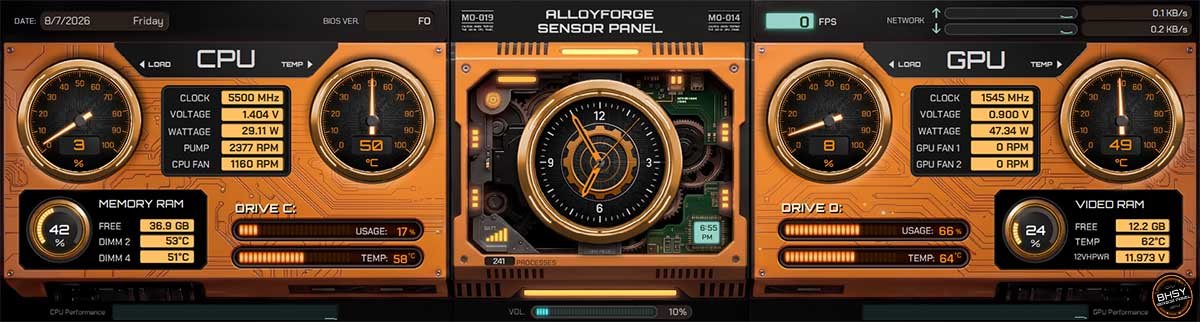
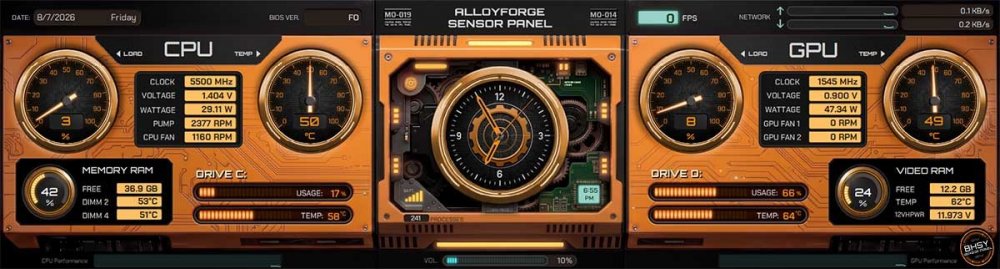
84 - ALLOYFORGE SENSOR PANEL TEMPLATE A system monitoring dashboard that tracks CPU, GPU, memory, and drive performance in real time. With its bold orange-and-black sci‑fi design, it displays detailed stats like clock speeds, voltages, temperatures, fan RPMs, and usage levels. 1920x480 / 1920x515 / 2560x720 / 3840x1100 Visit my website for more templates.
-
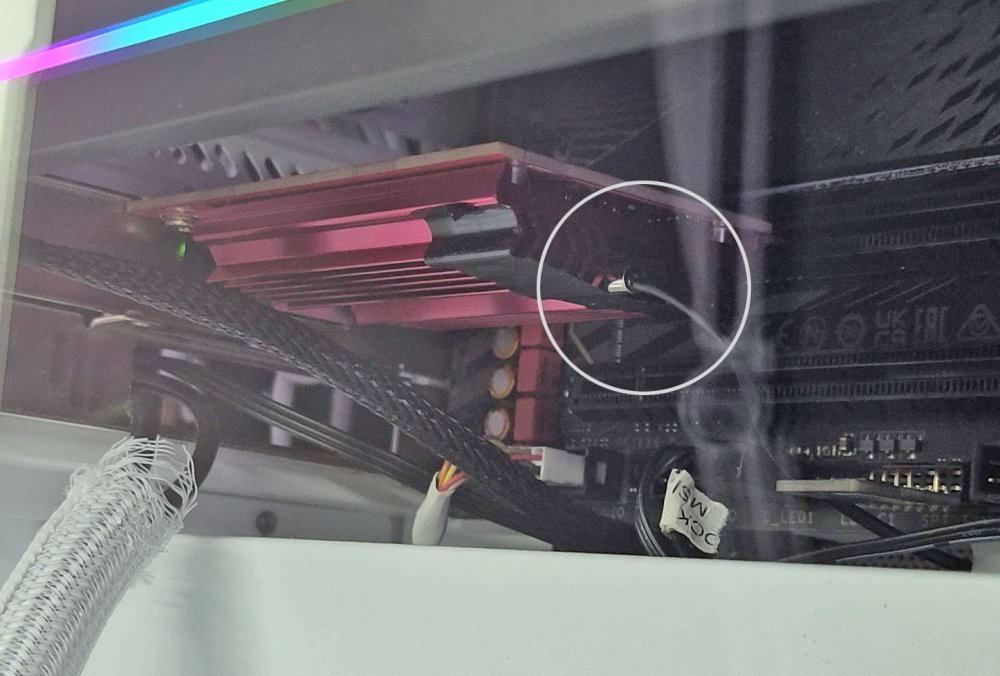
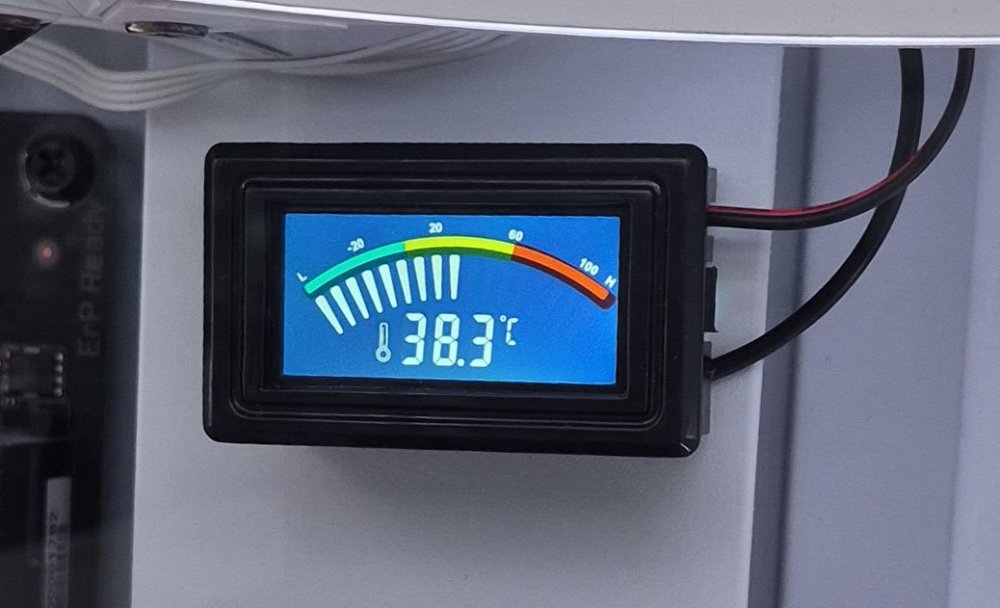
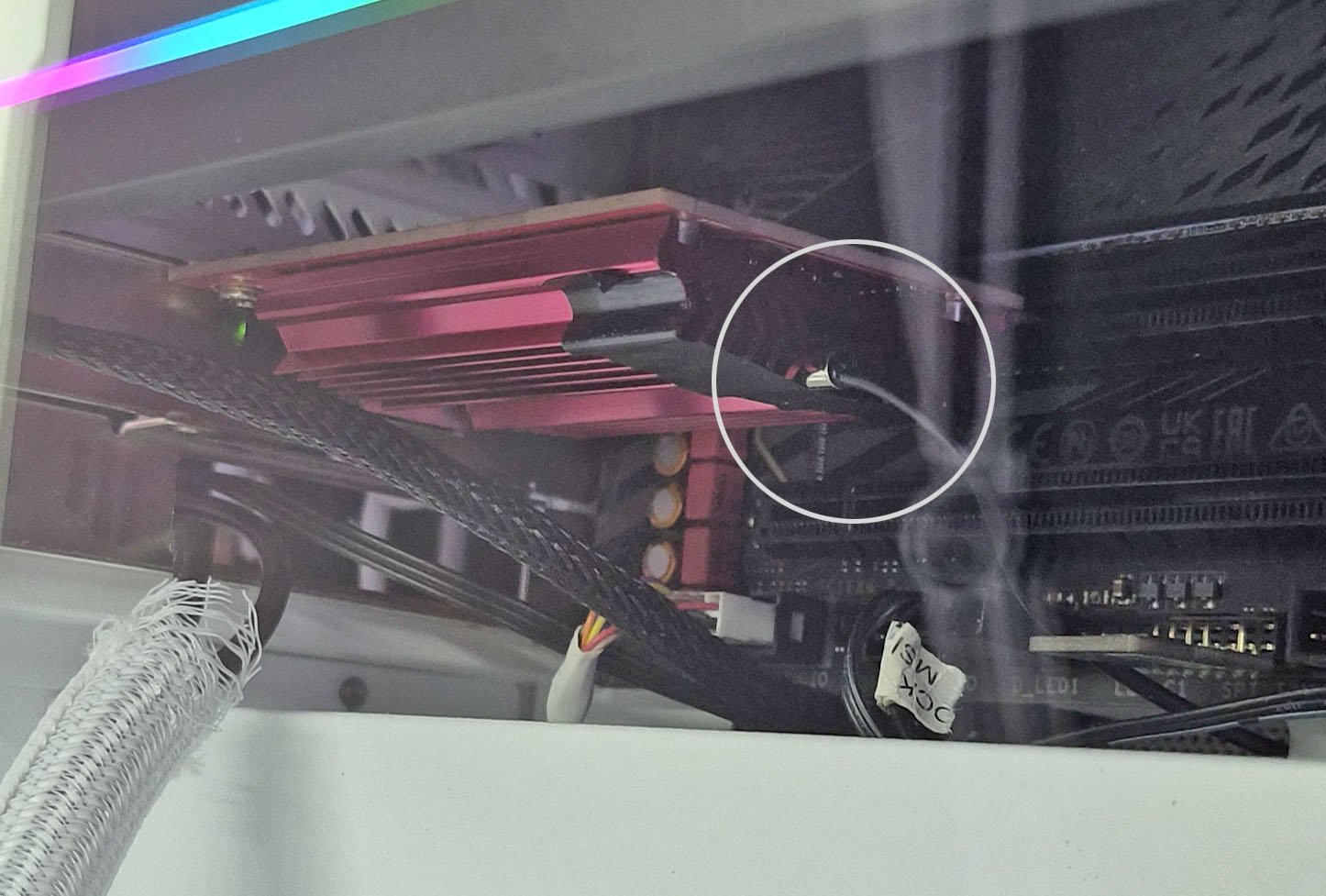
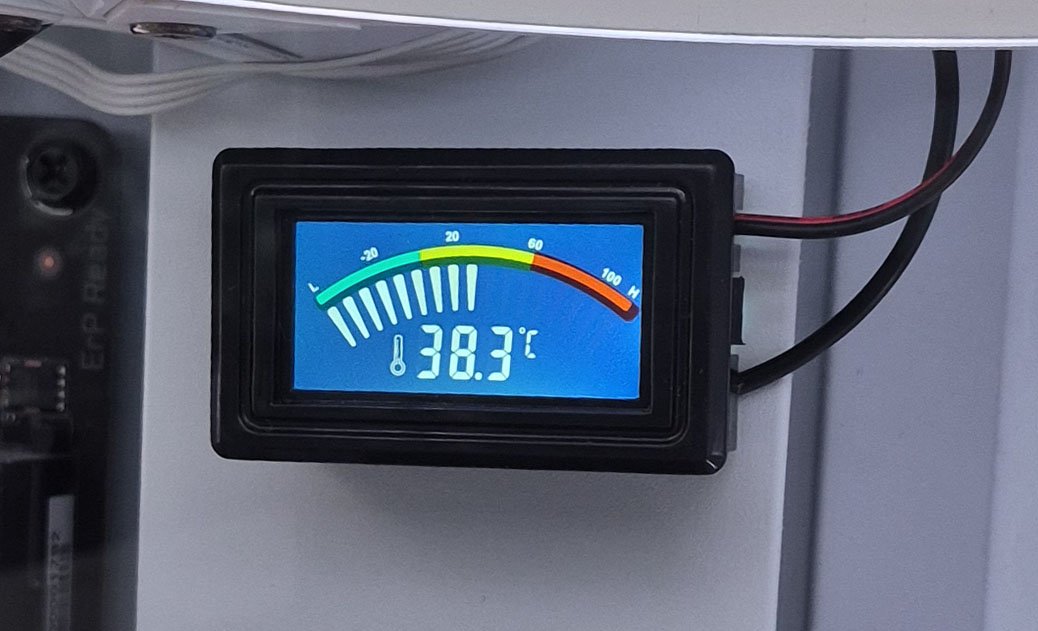
I finally received the KETOTEK Digital Thermometer Temperature Meter Gauge using a metal rod to sense the NIC card heatsink temperature. I attached the metal rod to the NIC card heatsink, as shown in the screenshot, and used Kapton Polyimide tape (heat-resistant). My NZXT chassis case can mount 3 fans at the base, so it helps cool down my NIC card.👍