rinaldop
-
Posts
659 -
Joined
-
Last visited
-
Days Won
26
Content Type
Profiles
Forums
Events
Everything posted by rinaldop
-
That guy has not logged in since over a year ago. Here is a similar one https://forums.aida64.com/topic/8710-new-and-updated-sensor-panel-1024x600/#comment-55787
-
Ah, that is great. Only one sensor panel can be active at a time, correct?
-
I did an image search on that screenshot and found these. https://forums.aida64.com/topic/667-share-your-sensorpanel/page/117/#comment-34194 https://forums.aida64.com/topic/667-share-your-sensorpanel/page/130/#comment-35368 https://forums.aida64.com/topic/12523-sensor-panel-ful-hd/#comment-55017 There are more here, click the link to see the results https://lens.google.com/search?ep=gisbubb&hl=en&re=df&p=AbrfA8rfKUH84zg7TJYCHJl_XC_whgEUrFzeHd4fp_S1tWrA_sJ9WbcvWXxAs-cW04hK7hMHwX3dVU_jHJWKfYb3U3oKGtX2uF_YpzJhTJk4Ow3YrSRXdQ4a08R5onWAyDyoNQ7ZZXFWOhqVIBgmS7H52-lDDwNFNd7BdNLMtgE5eObmtPVKajwNkFlNx6yAo3Nan9vssh5NPVoFHw%3D%3D#lns=W251bGwsbnVsbCxudWxsLG51bGwsbnVsbCxudWxsLG51bGwsIkVrY0tKRE16TUdZNFlXVXlMVFk0TmpVdE5HWmlPUzA0TTJNMExUQmlNekEzTjJJMll6YzFNQklmUlRCRlIyRnVPRzgyYWtWVWEwaDRiR3BST0hJemVEbEpkV1I0Ukhsb1p3PT0iLG51bGwsbnVsbCxbW251bGwsbnVsbCwiMS0yIl0sWyIyOTYxZmNkNy1lYWIyLTQzZWQtYmIyYi1iMDYwYjk3NmRmZDIiXV1d
-
Here it is https://forums.aida64.com/topic/667-share-your-sensorpanel/page/453/#comment-55311
-
Here it is https://forums.aida64.com/topic/667-share-your-sensorpanel/page/453/#comment-55311
-
It is? How does that work?
-
Here https://forums.aida64.com/search/?q="600x1024"&quick=1&type=forums_topic&nodes=28
-
2 days too early but I like it!
-
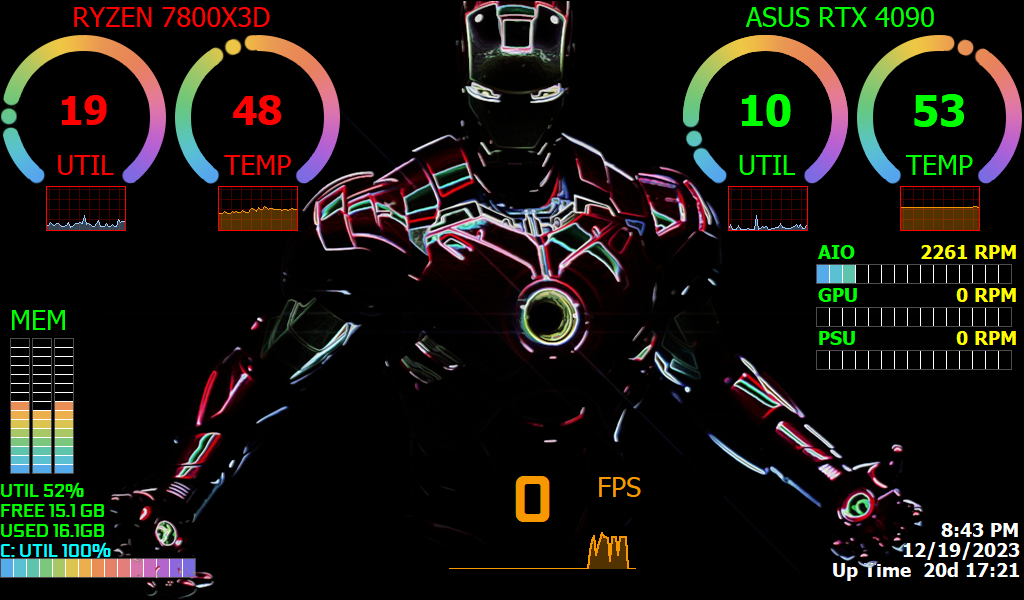
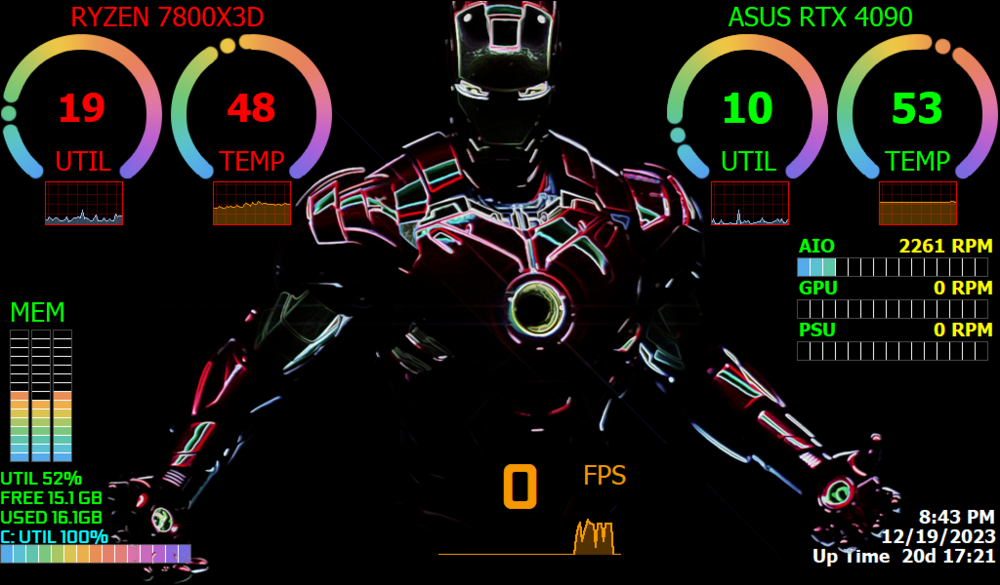
The Iron Man! This panel is for Ironman fans. I found the Ironman panel created by hip63 years ago and I heavily modified it. This skin has 2 special features: When the CPU boosts, just the Jarvis helmet and the chest Arc Reactor power up. When the GPU boosts, the whole suit powers up. The font is Geforce. The panel resolution is 1024x600. The panel as it is now is FREE. If you want the panel modified, customized for your system, or changed in size there will be a small charge. Just reply here or send me a private message. To send me a PM (private message) put your mouse over the profile image of my username and click on the "Message" button to send a private message. Take a look TheIronMan-hip63-rinaldop-2023-12-19.zip
-
Here it is https://forums.aida64.com/topic/667-share-your-sensorpanel/page/382/#comment-50296
-
It's an app on Steam called Wallpaper Engine free version called Wallpaper Alive. Use that as the background wallpaper and show the Aida64 template over the wallpaper and use transparency.
-
It's an app on Steam called Wallpaper Engine free version called Wallpaper Alive.
-
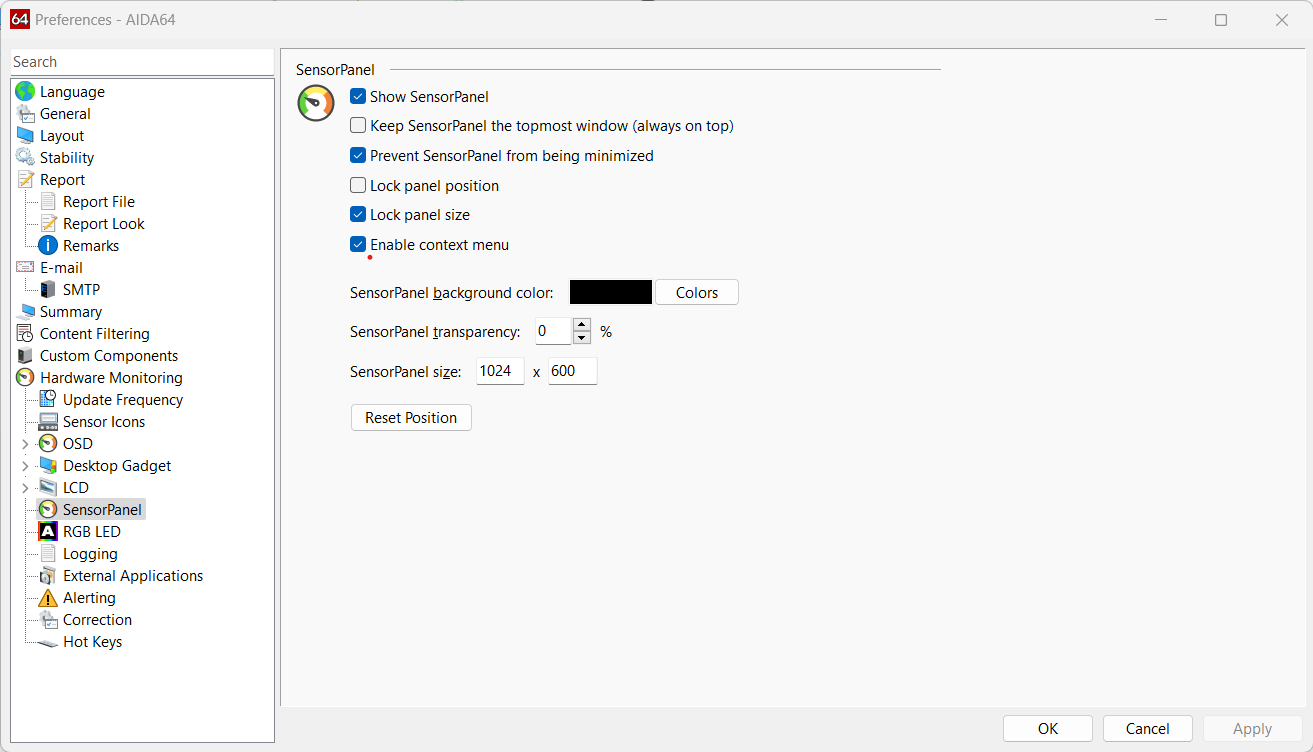
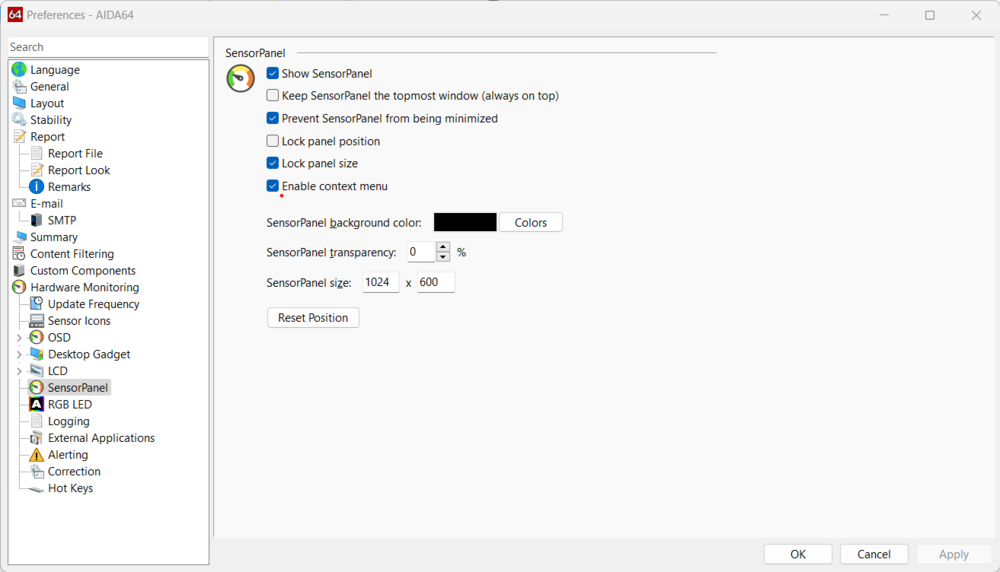
A lot of people are having this problem including myself. Try this in the sensor panel preferences it might help. Click on prevent sensorpanel from being minimized.
-
I modified this to match my computer data 1920 * 1080
rinaldop replied to 滋滋滋滋滋's topic in Hardware monitoring
The file is at the top, just click on it and the download will start. 该文件位于顶部,只需单击它即可开始下载。 -
I did not realize that the post I posted did not have the panel file, sorry. Here is the original version, but it is horizontal https://forums.aida64.com/topic/667-share-your-sensorpanel/page/382/#comment-50296 Here is vertical white panel to try https://forums.aida64.com/topic/667-share-your-sensorpanel/page/381/#comment-50256 I have also sent you a private message here, check your inbox.
-
I did not realize that the post I posted did not have the panel file, sorry. Here is the original version, but it is horizontal https://forums.aida64.com/topic/667-share-your-sensorpanel/page/382/#comment-50296 Here is vertical white panel to try https://forums.aida64.com/topic/667-share-your-sensorpanel/page/381/#comment-50256 I have also sent you a private message here, check your inbox.
-
Here are some https://forums.aida64.com/search/?q="515x1920"&quick=1&type=forums_topic&item=667
-
Here it is
-
You can buy it once and use it forever, but updates only last 1 year.
-
Nice! Looks like you got the hang of it;)
-
Sounds like you need a windows manipulation software. Here are some https://search.brave.com/search?q=windows+arrangements++software&source=web
-
Perfect!
-
I have found ways to get around the scaling problem that Aida64 still has with Windows but to be ABSOLUTELY sure that there are no issues you need to keep scaling at 100%. To be honest all of your panels that I have tried have been scrambled when I view them, now that I hear that you use scaling at 175% that must be the reason why.
-
Help/Recommendations -ax206 display sensor panel (3.5" 480x320)
rinaldop replied to axle2u's topic in SensorPanel
Apparently yes. I just use Paint and parts from other panels that are already made. This video will help -
I am using Windows 11 also. Windows 11 is supposed to keep the settings of each display separate so making changes to display 1 does not alter display 2. For me it usually works. Here is my settings for 2 displays with Windows 11 that keeps the secondary display with the sensor panel at 100% and the main display at 200% I recently upgraded Aida64 to the latest version and my old trick stopped working, it seems letting the application handle scaling now works better. It looks like Aida64 and Windows scaling is still a problem and people have to try different solutions to see what works for them.