
Arctucas
-
Posts
324 -
Joined
-
Last visited
-
Days Won
5
Content Type
Profiles
Forums
Events
Everything posted by Arctucas
-
I believe you would need to provide specific details regarding hardware used, as well as the actual data from AIDA64, before anyone could provide an answer.
-
I like both ideas. I also would like an option to make arched text; in other words, text that would follow the curve of a gauge, whether above, below, or fully encircle the gauge.
-
Hence; Basic ... When I need more info, I use HWiNFO.
-
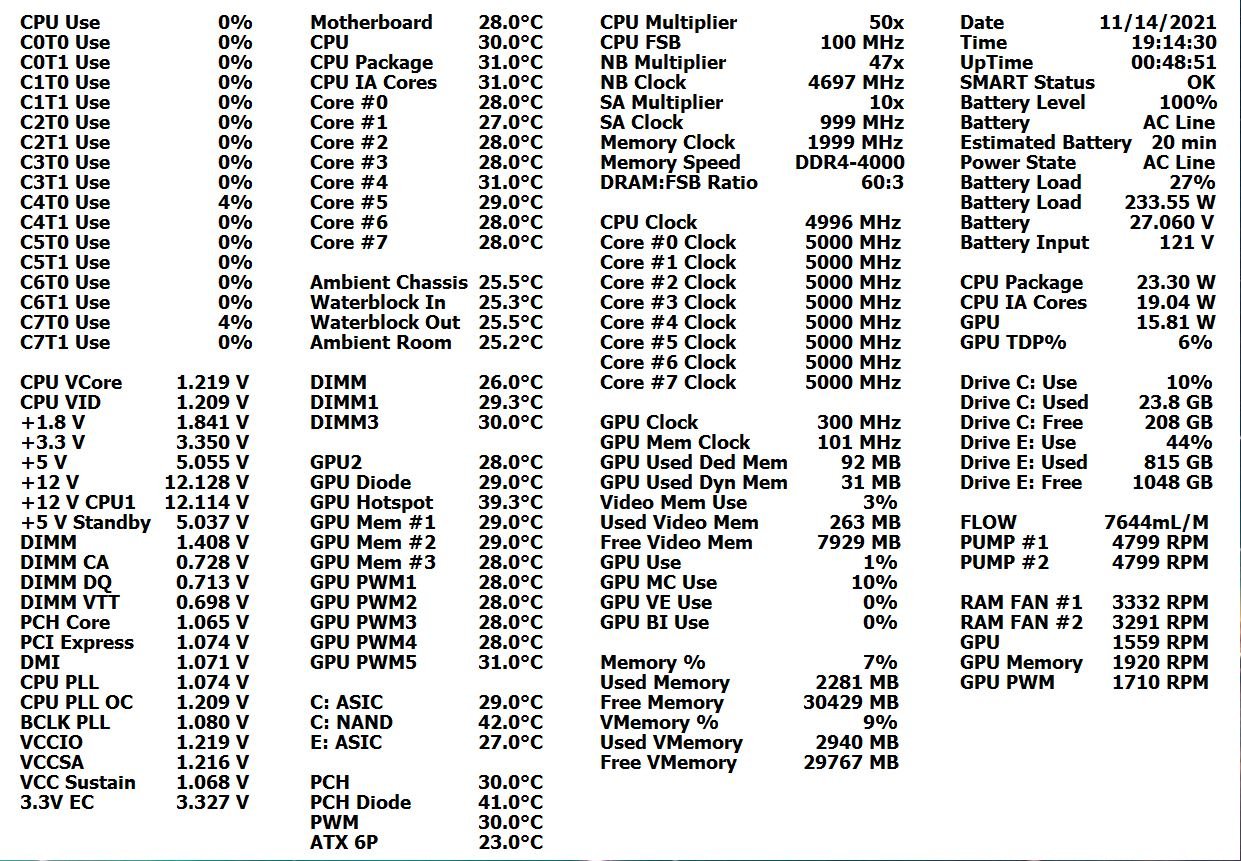
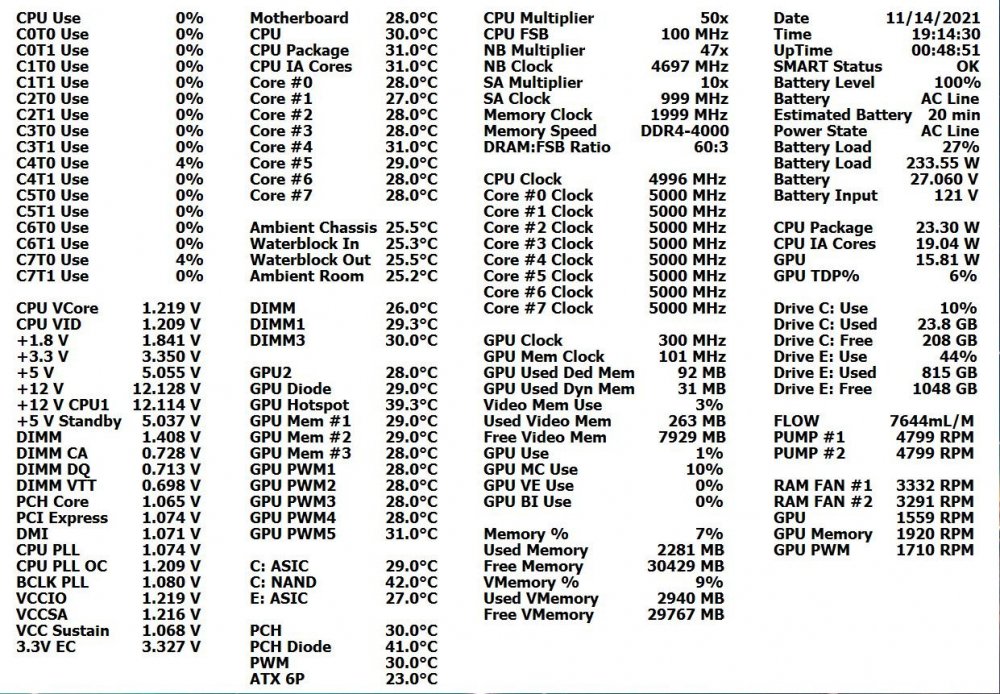
The Basic.
-
Just realized I had not enabled DIMM thermal sensor support. Sorry.
-
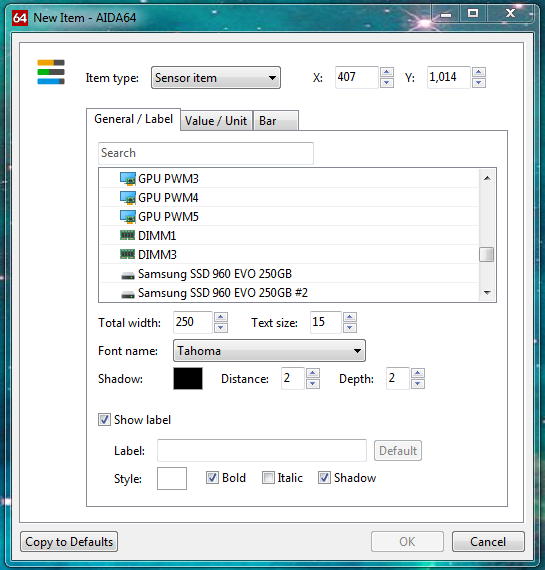
Been copying the .ini file from version to version, always had both DIMM temp sensors. Started a new Sensor Panel layout, Both DIMM temp sensors no longer in the list. v6.50.5806.

-
Thanks. That is a bit overwhelming, though. A bit more than I can do, I am afraid, never learned any of the programming. I just need a quick and dirty way to create a 150° arc (or would it be 160°?), divide it into 15 segments of 10°, colorize each segment, save each as .png file (with one transparent outline only for zero state) for a total of 16 .png files to replace stock gauges. Probably not doable for me, given my lack of skill. Thanks again.
-
OK, but I still need tutorial.
-
Warning: Hardware failure detected! Test stopped
Arctucas replied to Balzeck's topic in Benchmarking, system performance
Are you certain the memory is fully compatible with the motherboard? -
Something new? Had a notification that I earned a new badge. Starting checking it out. Got one for one week and one month, been a member since 2010. EDIT: Just got one for starting a conversation ...
-
What application is it that you use?
-
Right 16, my mistake. OK, installed GIMP. Found a 120° arc .png file. I need to divide the arc into 16 equal pieces, correct? Then assign a color to each? How?
-
Re-reading my post, I suppose I should have been more explicit. I know how to use the default sensor panel, I need guidance with creating custom gauges. Not really interested in graphs. I would like to create simple arc style gauges, with 120° of arc. I understand I need 15 of these as .png files to replace the default gauges. I would not be doing a 'panel' background, just replacing the default gauges. What software would I use to create the arcs, and how would I manipulate the color gradient? Also, how would the values be inserted into the gauge .png?
-
Been wanting to try making a custom sensor panel, looking to use a 13 inch 2K screen to view it on. Is there an in-depth tutorial? I must say, I have zero experience with this sort of thing, so the instructions would need to be extremely detailed. Thanks
-
CPU frequency and memory not correct (Windows 11 sandboxing issue)
Arctucas replied to bulbau's topic in Bug reports
Looking around the interwebz, seems others are having issues with monitoring software, e.g.CPU-Z, HWiNFO, using W11. You know Microsoft's motto is; 'If it ain't broke, fix it 'til is.' -
CPU frequency and memory not correct (Windows 11 sandboxing issue)
Arctucas replied to bulbau's topic in Bug reports
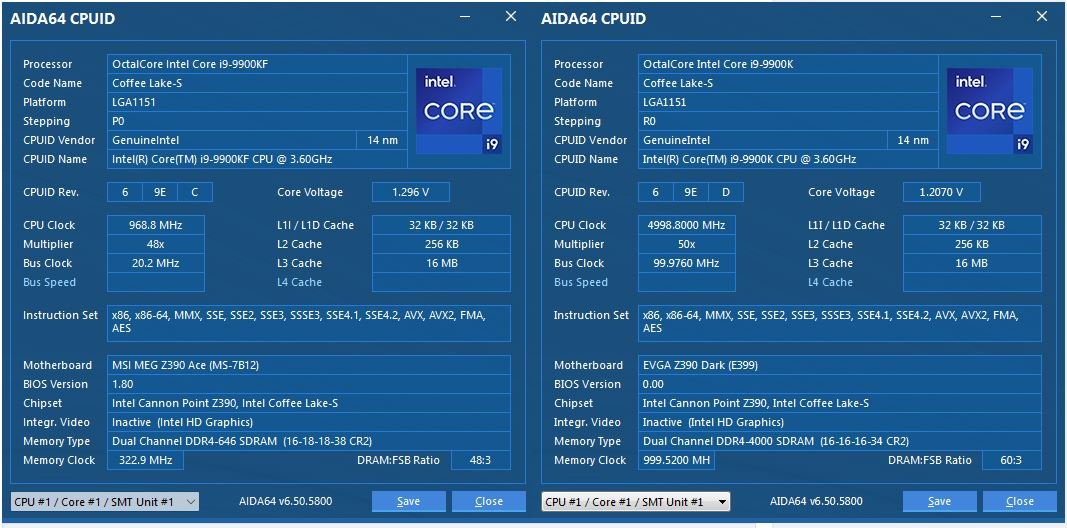
I wonder if it is W11 causing the issue? My 9900K CPUID (on the right) screen side-by-side with yours, but I am running W7: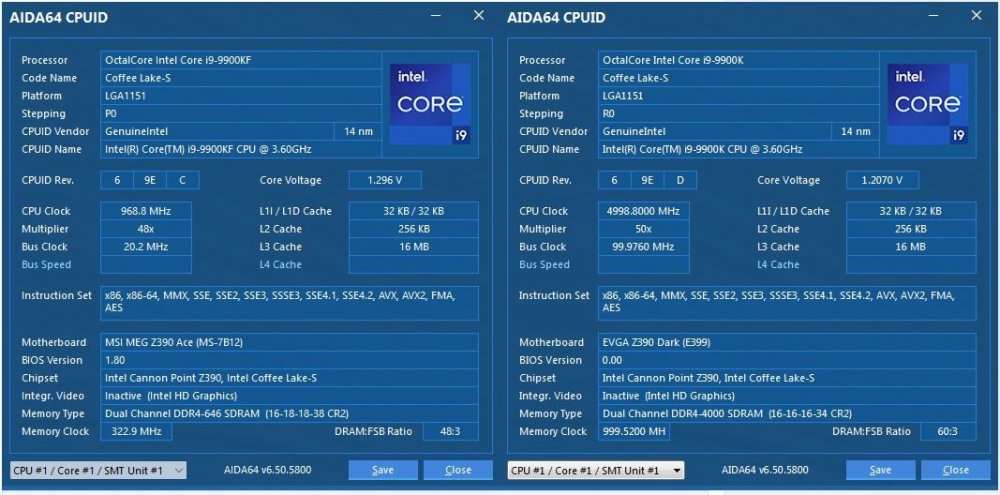
-
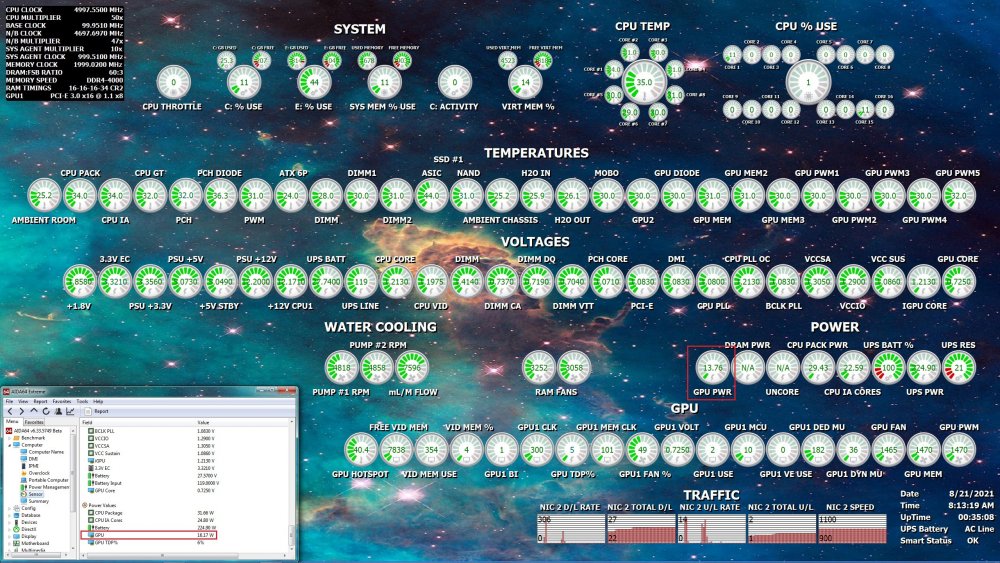
Have you made any sensor panel items?
-
-
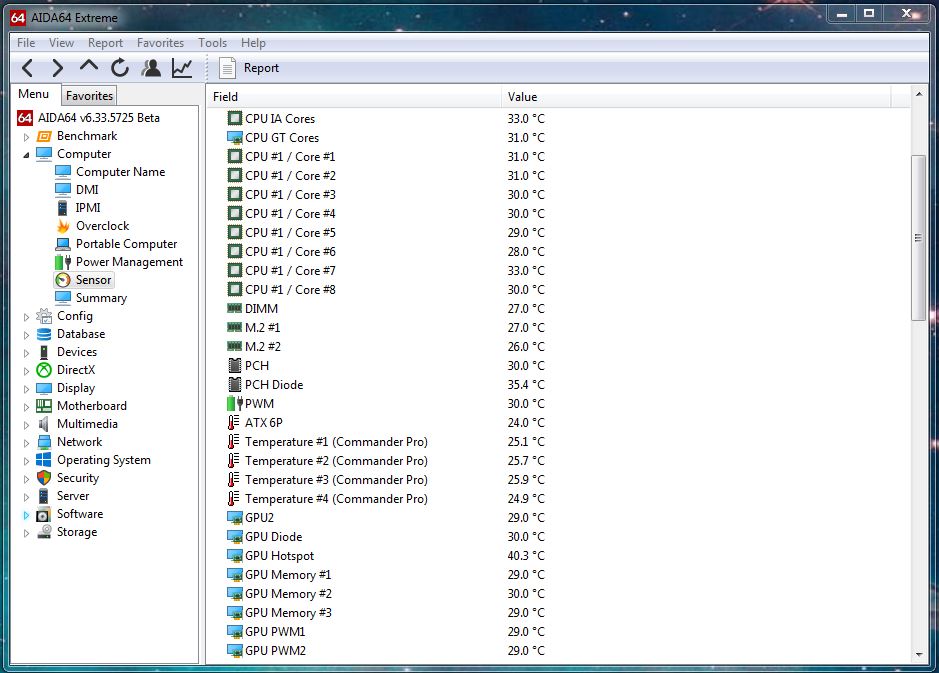
I also use a Commander Pro for temp sensors; Water temps, Ambient air temps, and AIDA64 works great.
-
Load a restore point before the install?
-
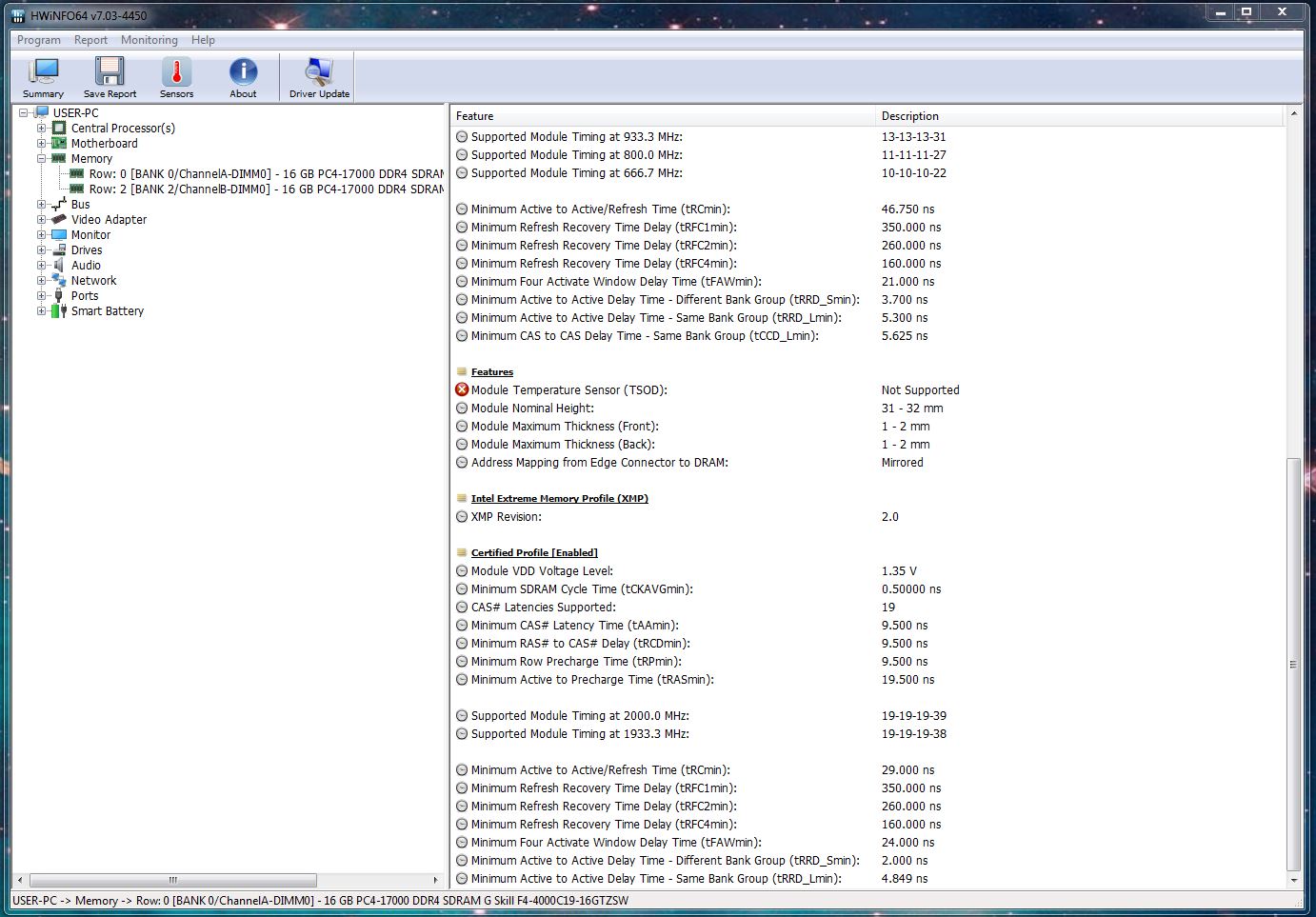
Thaiphoon Burner does not install. Extract and run. HWiNFO says I do not have Temperature Sensor. But, it displays DIMM temperatures. And, AIDA64 displays DIMM temperatures.
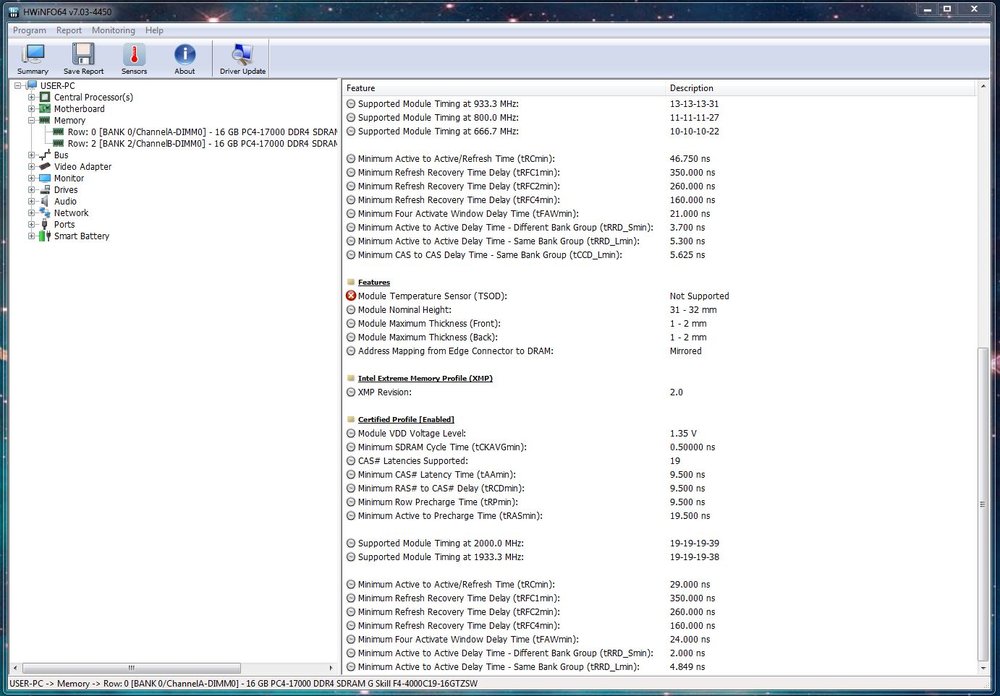
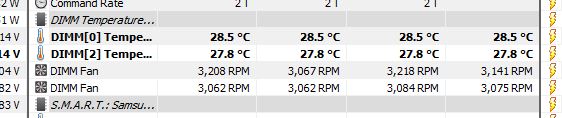

-
@NewbieOKS, RAMMON says I do not have a thermal sensor, when, in fact, I do. What does Thaiphoon Burner say under Thermal Sensor?
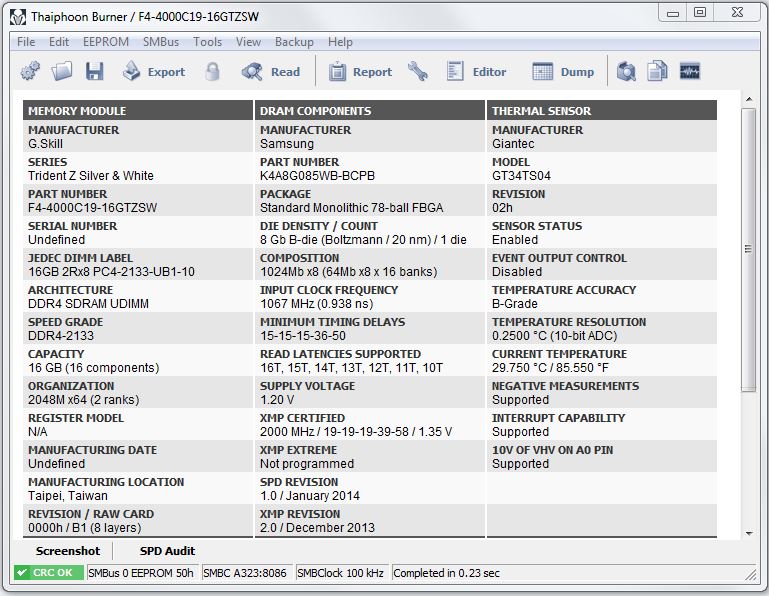
-
Unknown fan speed sensor (EVGA RTX 2080 FTW3 Ultra)
Arctucas replied to Arctucas's topic in Bug reports
Fiery, Thanks. -
What is GPU2? No GPU fans are running at 20%.
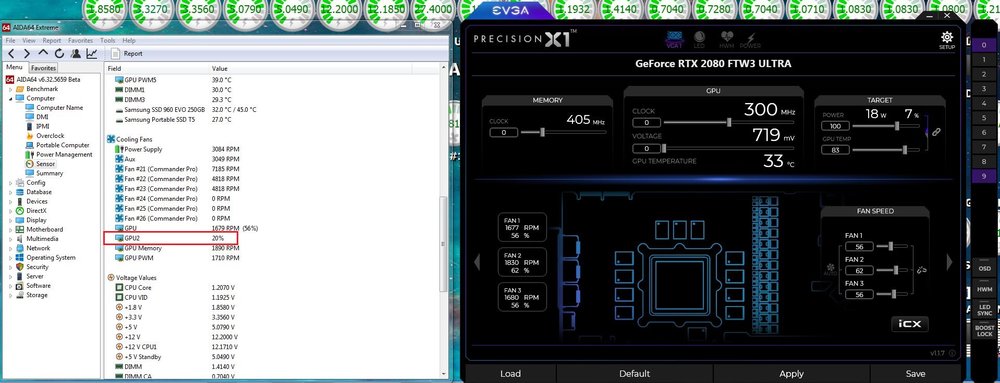
-
GT is the CPU integrated graphics, should be disabled in BIOS when using discreet graphics card e.g. RTX3070. iCUE is basically crap, and does not play well with other monitoring software, so you get what you get. What does HWiNFO say? CPU Package is what I use when referring to CPU temperature.